Usage
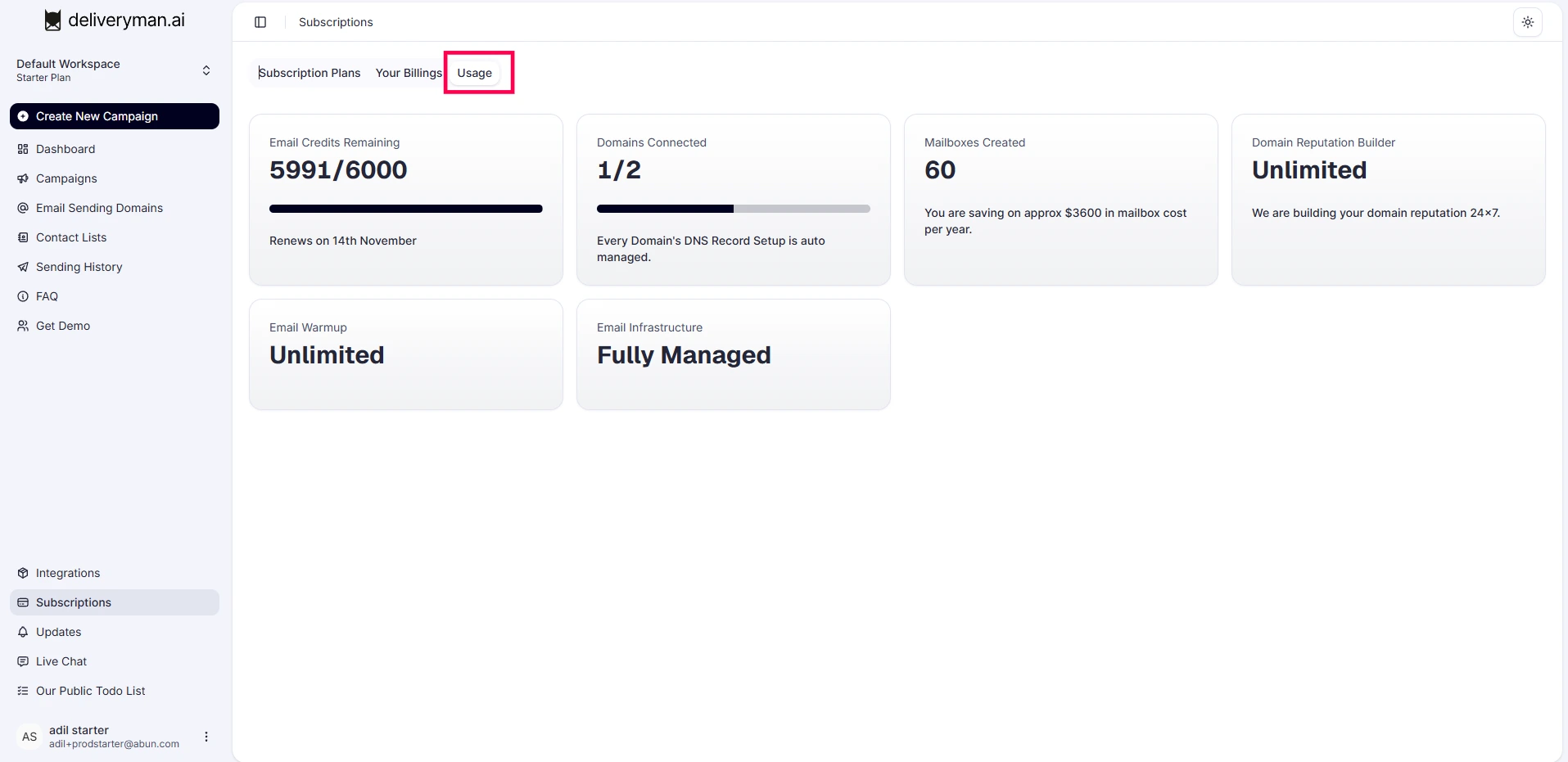
You can easily track how much you’re using your plan for sending emails and connecting domains. Uploading leads does not count toward your usage. All paid plans include a set monthly limit that resets automatically at the start of each new billing cycle.
What Counts Toward Your Usage
Email Sending Only
- 1 email sends = 1 usage
- Usage is counted per email, not per lead
- Follow-up emails count as usage because they are emails sent
- Warmup emails do not count toward usage
- Drafted, scheduled, or paused emails do not count unless they are sent
Monthly Reset & Billing Cycle
- Usage is tracked on a monthly basis
- Your email-sending limit resets automatically at the beginning of each billing cycle
- Unused emails do not roll over to the next month
- Campaigns paused due to lack of email sends available will be resumed automatically as email sends are replenished..
Usage Alerts & Notifications
Deliveryman AI keeps you informed as you approach your limit.
You’ll receive a 100% usage alert when you reach your limit, and sending will be paused.
Where to Track Usage
Click your profile name in the bottom-left corner of the dashboard
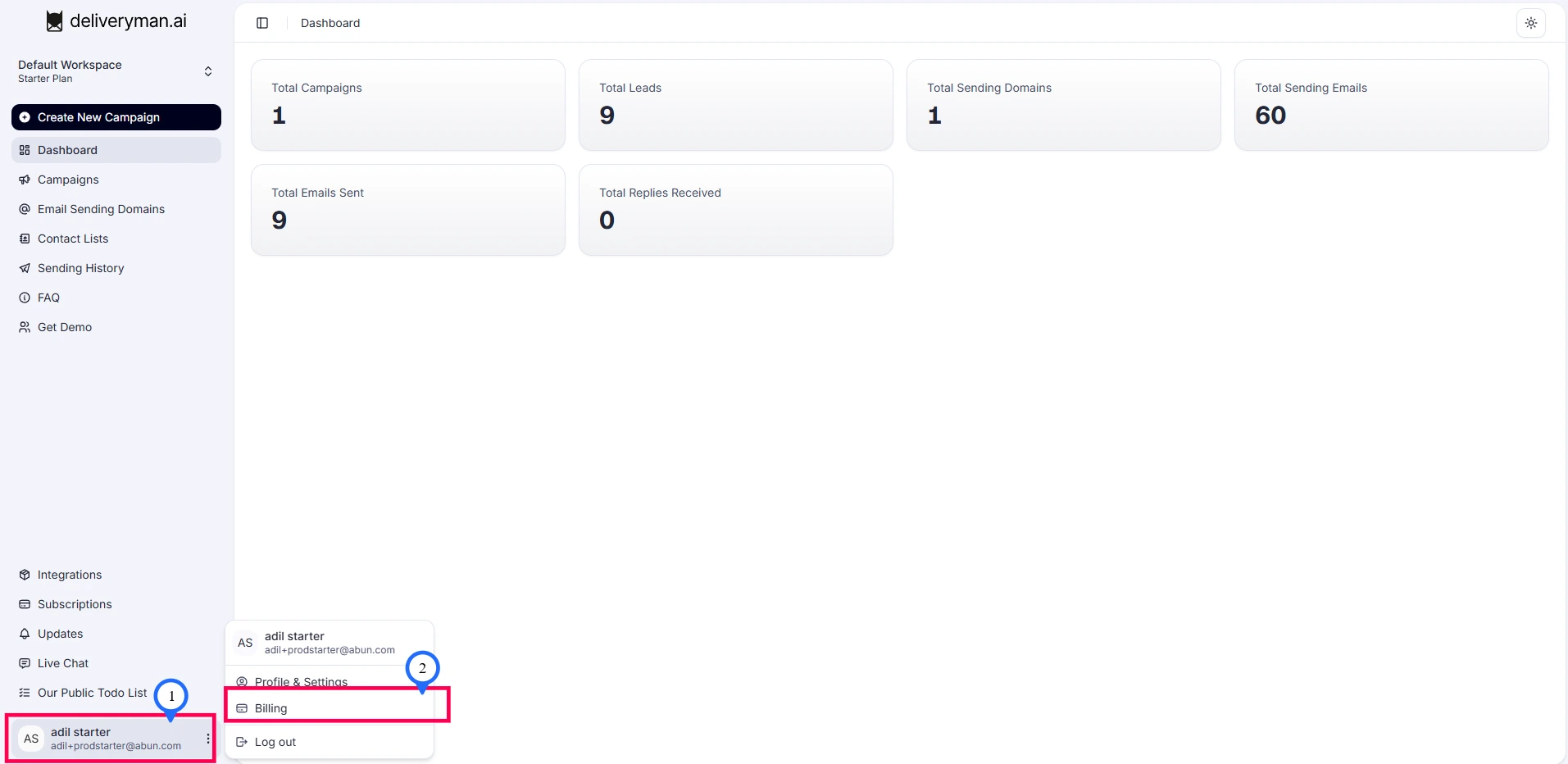
Go to Settings → Billing → Usage
What Happens When You Reach Your Limit
- All active campaigns are paused automatically
- You’ll receive an email and an in-app notification
- You can upgrade your plan or wait for your next monthly reset
Best Practices
- Check your usage every week to avoid interruptions
- Pause low-performing campaigns to save usage
- Use verified contact lists to keep performance high