Reply Management
Managing replies is just as important as sending emails.
Deliveryman AI automatically reviews every response & classifies it as positive, neutral, or negative, so you instantly know where your attention is needed.
This ensures you can prioritize real opportunities, quickly spot uninterested prospects, & never lose track of conversations that matter.
Reply Management - Deliveryman AI
Where to see replies?
If you’re running multiple campaigns, keeping track of replies can get messy. Traditionally, you’d jump between inboxes or rely on a unified inbox to stay updated.
Deliveryman AI makes this far simpler.
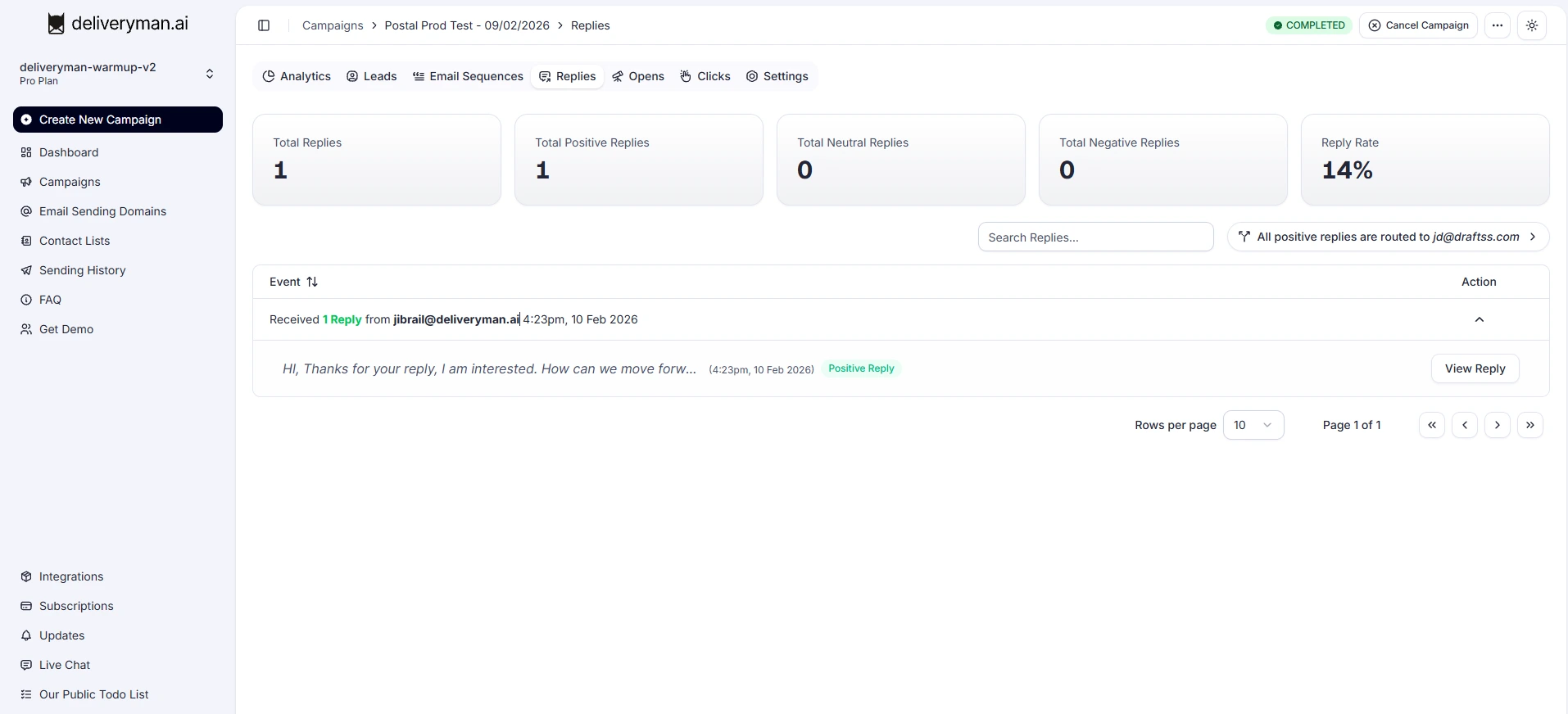
Each campaign comes with its own dedicated Replies section. Just open any campaign to view all the responses it has received, sorted, organized, and ready for you to review.
A global Unibox is also on the way, where you'll soon be able to see every reply from all campaigns in one place & start conversations directly with interested leads.
Reply Categorization
Every reply your campaign receives is automatically categorized into Positive, Neutral, or Negative. We also monitor bounce notification replies to keep your list clean and your domain safe.
Negative Replies
Our system automatically detects replies that clearly show a lack of interest such as “Not interested,” “Stop emailing me,” or even rude/abusive messages (we’ve all been there 😅).
These contacts are instantly unsubscribed so no further emails are sent to them.
This protects your domain reputation and saves you from manually cleaning up negative responses and unsubscribing them yourself.
Negative Replies are not routed/forwarded to your email. You can check them on our dashboard.
Neutral Replies
These include replies that are unclear or don’t indicate interest.
Most of the time, neutral replies are Out-of-Office (OOO) emails that land up in Neutral Category.
You can review these in the campaign’s reply section and decide whether to continue the conversation.
Neutral Replies are not routed/forwarded to your email. You can check them on our dashboard.
Positive Replies
When someone shows interest asks for more details, wants a demo, or responds positively Deliveryman AI marks it as Positive so you can prioritize the lead right away.
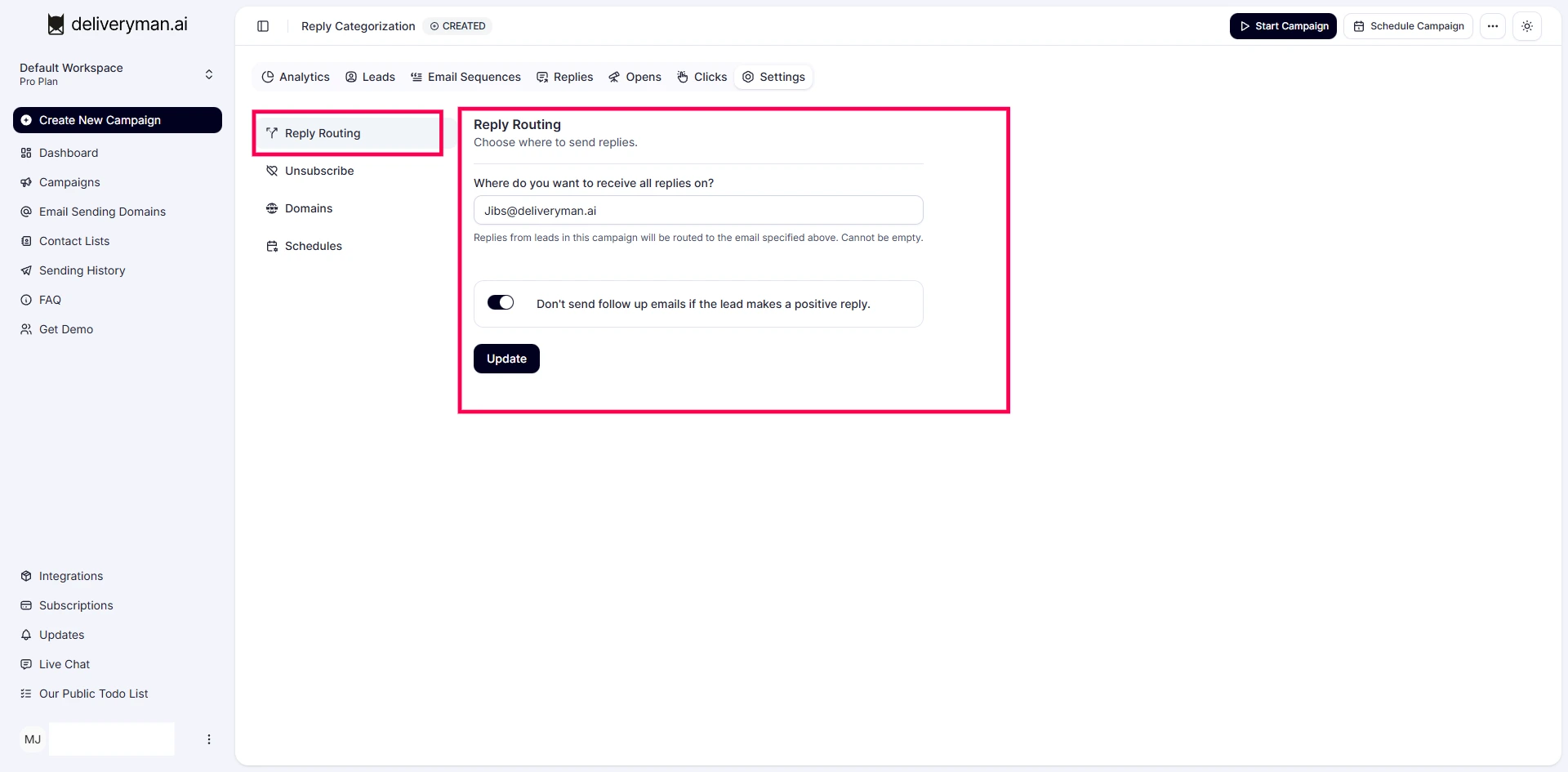
By default the system will also automatically stop follow-up emails the moment a positive reply is detected.
This ensures you don’t continue sending scheduled follow-ups to someone who’s already engaged, keeping your outreach clean, relevant, and professional.
Reply Routing
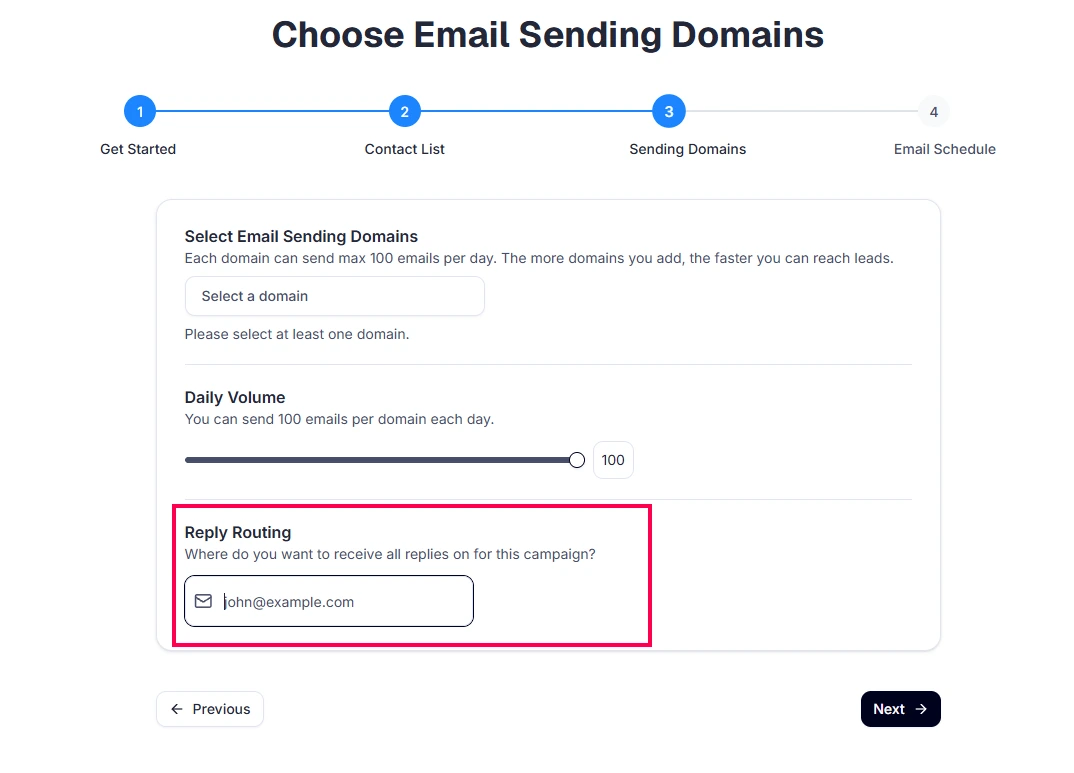
Reply Routing is designed to make your workflow smoother. It lets you send all replies from each campaign directly to any email address you choose.
This is especially helpful if you’re an agency or part of a marketing team. Many times, the person sending the emails is not the person who handles the leads. With Reply Routing, you can send all interested responses straight to the right person without changing how your team works.
For example, if the marketing team sends cold emails but the sales team handles conversations, you can simply enter the sales team’s email. All replies will go directly to their inbox, so they can take over instantly. At the same time, you can still view every reply from your Deliveryman AI dashboard without needing your sales team to log in or switch tools.
This also works perfectly for agencies. You can run campaigns on behalf of your clients and route all positive replies to their team’s email. They handle the conversations from their own inbox, you keep full visibility from the dashboard, and no one has to change their setup or learn a new platform.
Reply Routing keeps everyone organized, reduces back-and-forth, and ensures the right people get the right replies without any extra effort.