Unsubscribe Management
We want you to reach out to your leads & prospects with b2b offers that stand out & not spam anyone.
Thus we let your leads/contacts opt out of your campaigns easily & at the same time help you manage everything automatically without you having to put in additional efforts to manage unsubscribe request in your contact list.
Also, we want you to stay compliant with all unsubscribe request as it helps your sending domains maintain good reputation with all ESP's (Google, Outlook, etc).
There are multiple ways on how you contacts get unsubscribed.
One Click Unsubscribe Header
We add a One-Click Unsubscribe Header to every email sent through Deliveryman AI.
Inbox providers like Gmail and Outlook require bulk senders to include this header, and while many cold email tools skip it, we make sure you stay fully compliant. This protects your sending domains & keeps your reputation strong across all ESPs.
The header follows major global standards such as CAN-SPAM, GDPR, & RFC 8058, & is enabled by default to keep your outreach clean, safe, & user-friendly.
Here’s how the unsubscribe header typically renders in email clients:
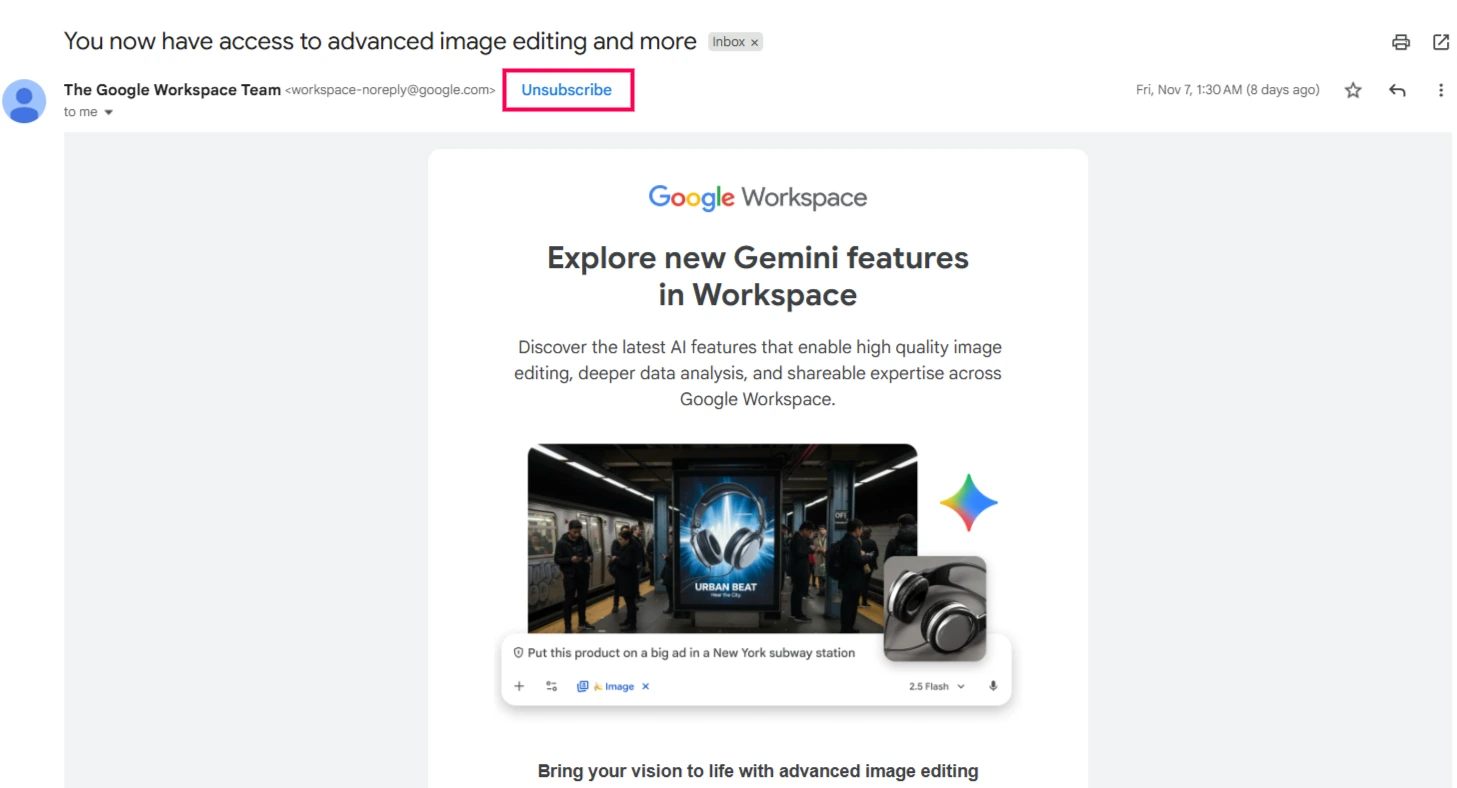
You may not always see the unsubscribe link exactly like in the screenshot, Gmail decides when to display it, usually for senders who send around 5k+ emails per domain. Even if it’s not visible, the header is still present & active behind the scenes.
When a user clicks the unsubscribe option, they are immediately marked as unsubscribed across your entire workspace. You won’t be able to email them again even if you re-upload them in a new list ensuring clean compliance & zero accidental sends.
Using Unsubscribe Text
This option adds a short unsubscribe line at the bottom of your email, giving recipients a clear & visible way to opt out.
Including this text helps build engagement, reduces the chances of someone marking your email as spam, & keeps you compliant with regulations that require an in-email opt-out option.
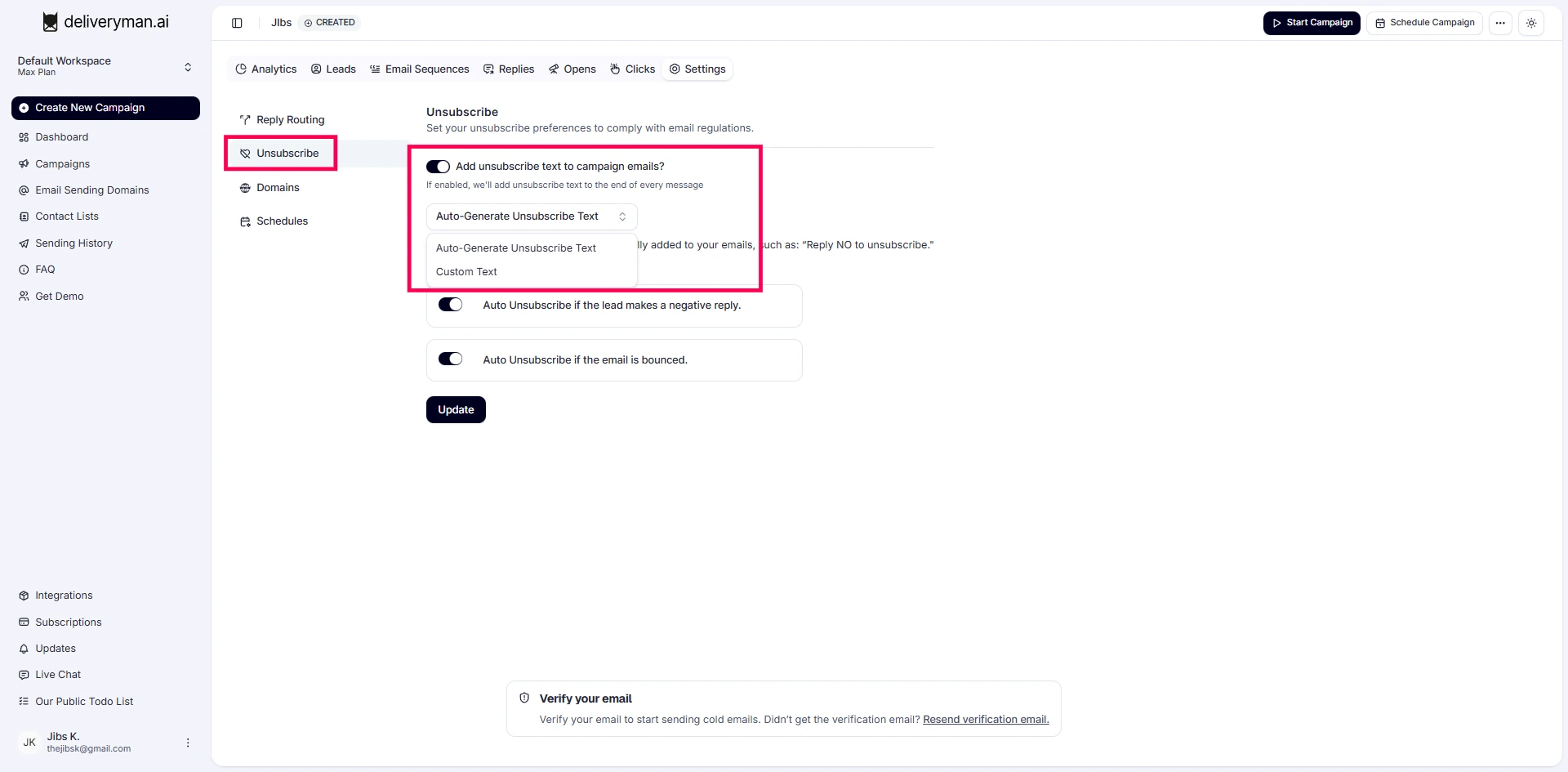
Deliveryman AI inserts the unsubscribe text automatically when you enable it in your campaign settings. Every email that is send out gets a unique unsubscribe text to improve your deliverability. You can choose your own custom text as well from the campaign settings.
These are some of the example text that we auto add at the end of your email if the feature is enabled.
Want to opt out? Just reply with "Unsubscribe".
No longer interested? Just reply with "Unsubscribe".
If this isn’t relevant, feel free to reply with "Unsubscribe
If someone replies asking to opt out in any way, they’re immediately unsubscribed & blocked from future emails, keeping your sending clean & compliant.
Auto Unsubscribe Negative Replies
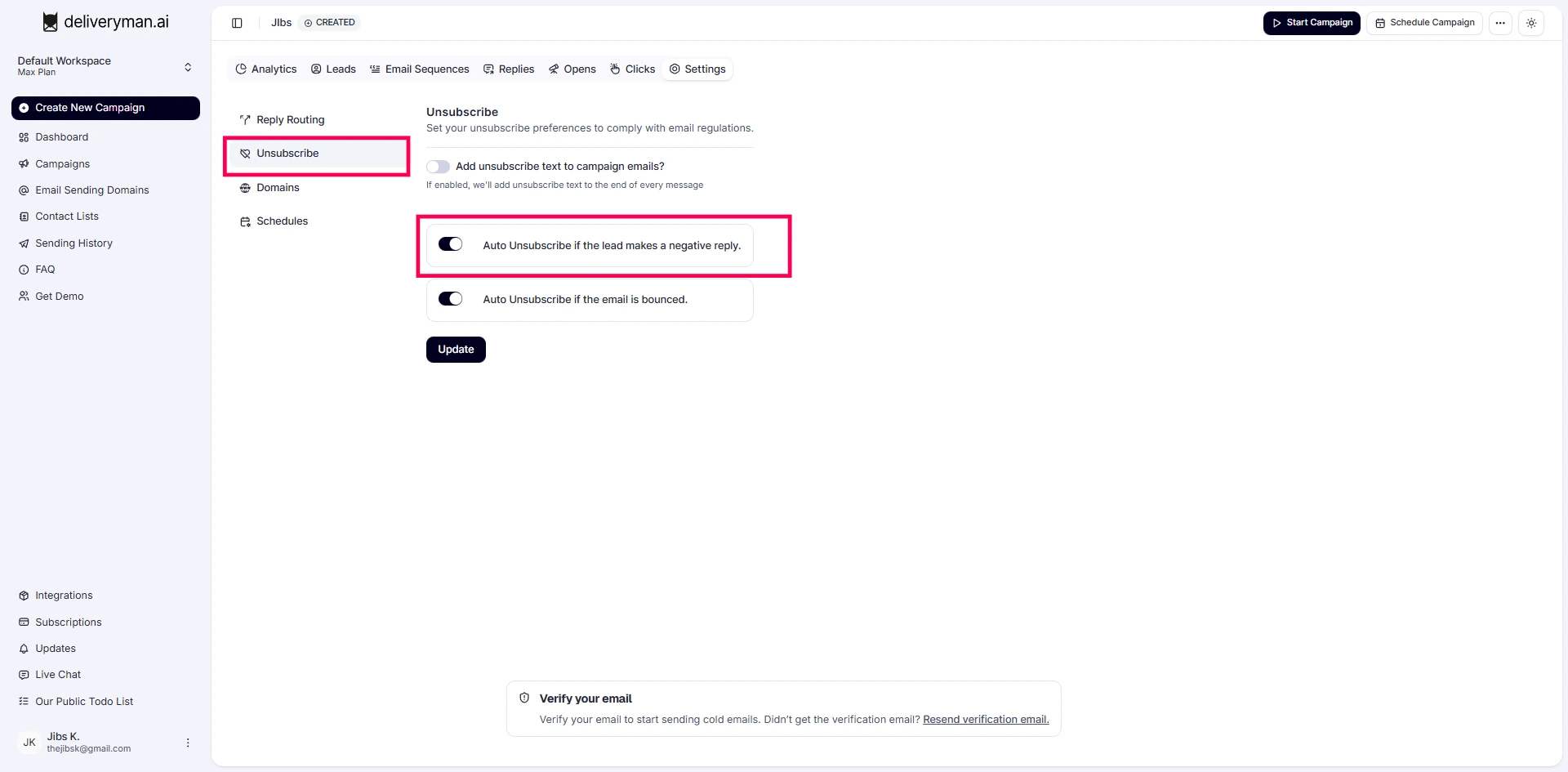
Deliveryman AI automatically identifies negative responses such as “Not interested,” “Stop emailing me,” or any message that clearly indicates the recipient does not want further communication. When detected, the contact is immediately unsubscribed so they never receive another email from your campaigns.
This protects your domain reputation & keeps your contact list clean, since continuing to email annoyed or uninterested recipients increases the chances of spam complaints.
Auto Unsubscribe on Email Bounce
Deliveryman AI automatically removes any bounced emails from all future sends. Continuing to email addresses that bounce hurts your domain reputation & increases the risk of blacklisting, so this feature protects you by stopping those sends instantly.
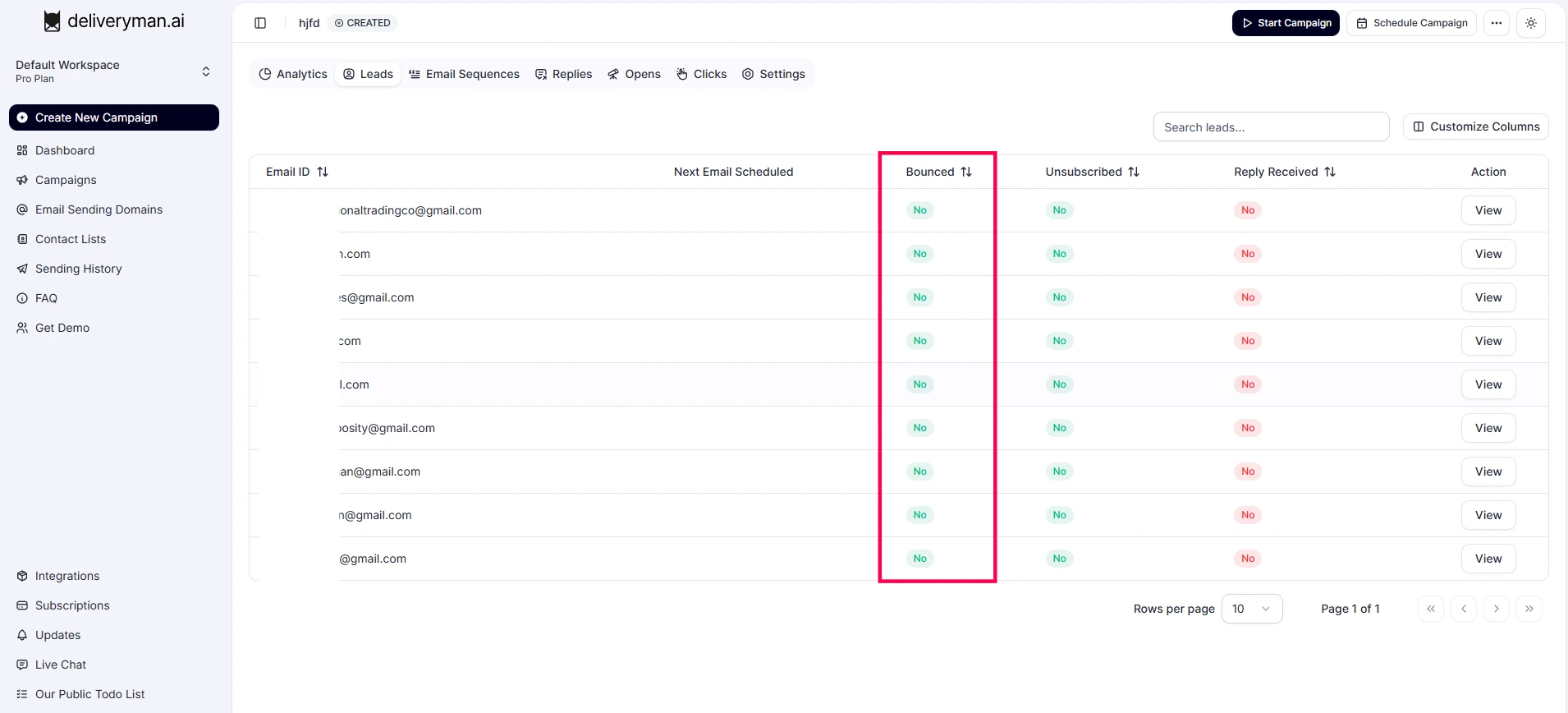
Bounce details are visible on the Lead’s page for full transparency, & invalid contacts are removed the moment the bounce occurs. Over time, this keeps your list clean, improves deliverability, & helps maintain a strong, healthy sending reputation for your domain.

Importing Unsubscribe Contacts
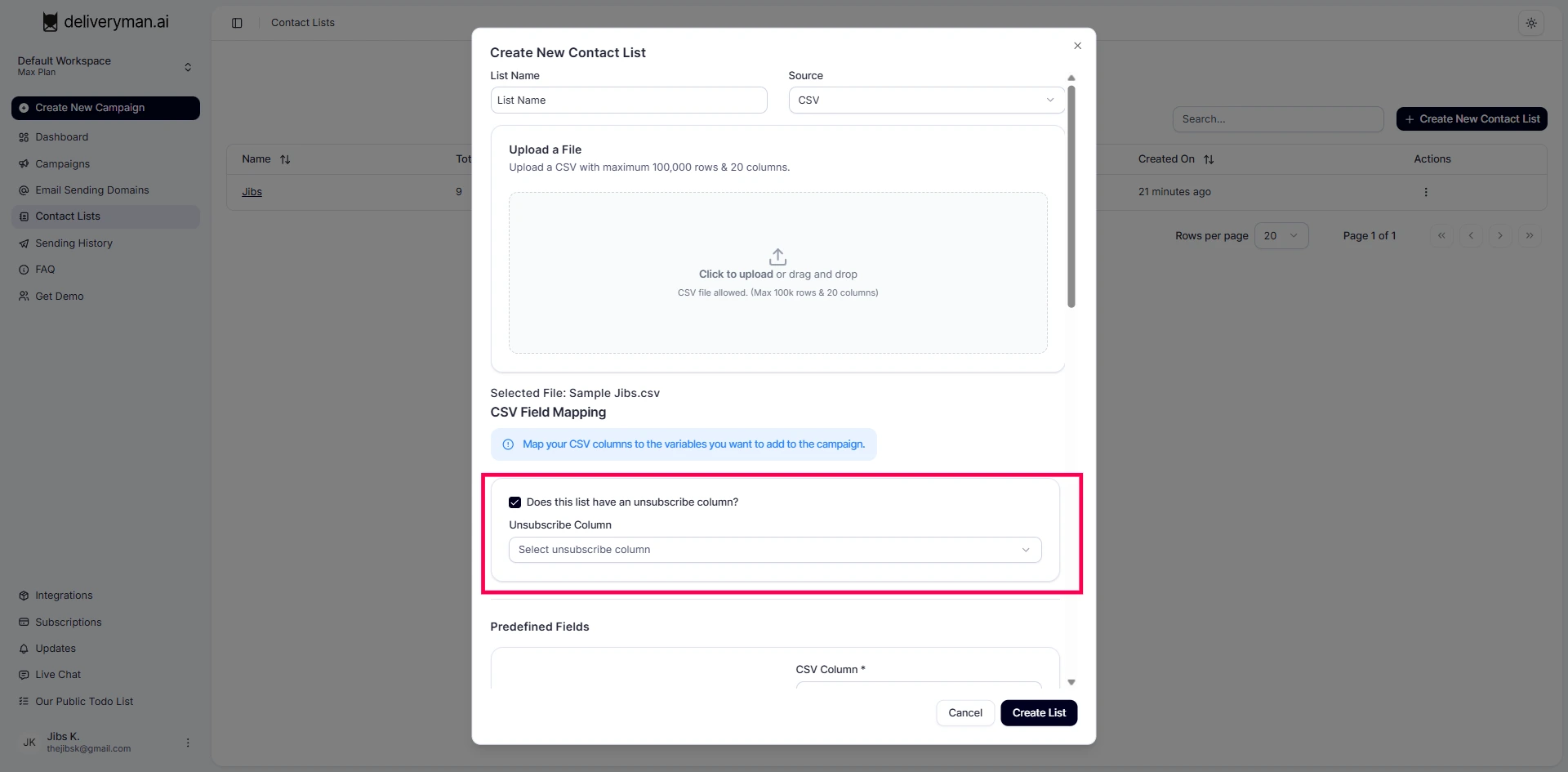
You can specify unsubscribed contacts during import, & we’ll label them on our side too, reducing manual cleanup for you.
While uploading your list, you can specify if there’s an unsubscribe column. Choose the column, & we’ll unsubscribe those contacts & exclude them from future emails.
The column should have Yes/True for unsubscribed users. Their respective emails will be excluded from being contacted through your campaigns.