Bot Open Filtering
Bot Open Filtering helps you identify opens caused by bots instead of real prospects.
Email providers & security systems can automatically open emails or scan links before the prospect sees your email. These opens can make your open rate look higher than it really is.
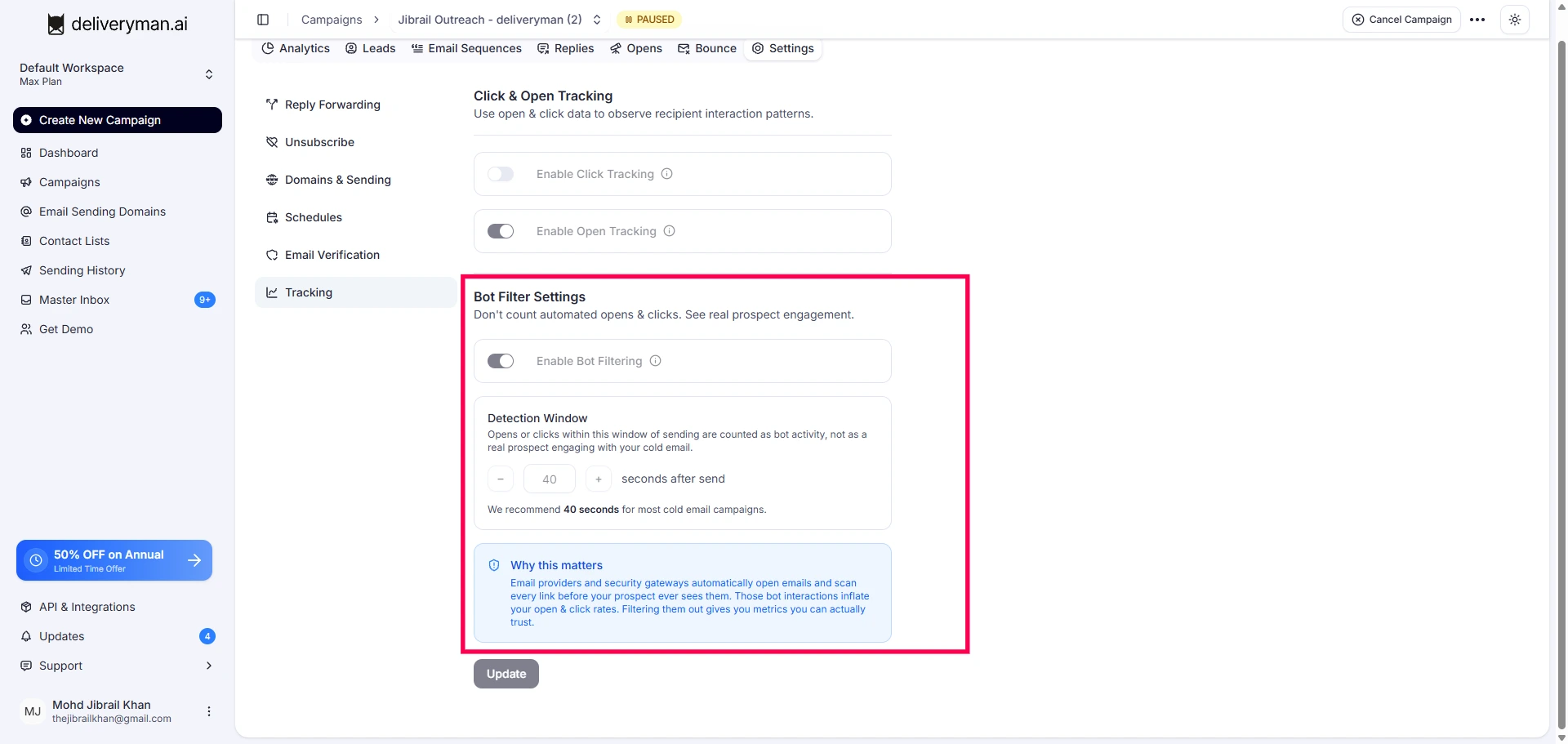
How to enable Bot Open Filtering
- Go to Settings → Bot Filter Settings.
- Turn on Enable Bot Filtering.
- Set your Detection Window.
- Click/save your settings if required.
We recommend keeping the default 40-second window for most cold email campaigns.
How does Bot Open Filtering work?
You can set a Detection Window to identify bot opens.
For example, if your Detection Window is set to 40 seconds:
- Your email is sent.
- The email is opened within 40 seconds.
- DeliverymanAI marks the open as Bot Activity.
- The open is not counted as a real prospect open.
If the email is opened after the Detection Window, it can be counted as a normal open.
Where can I see bot opens?
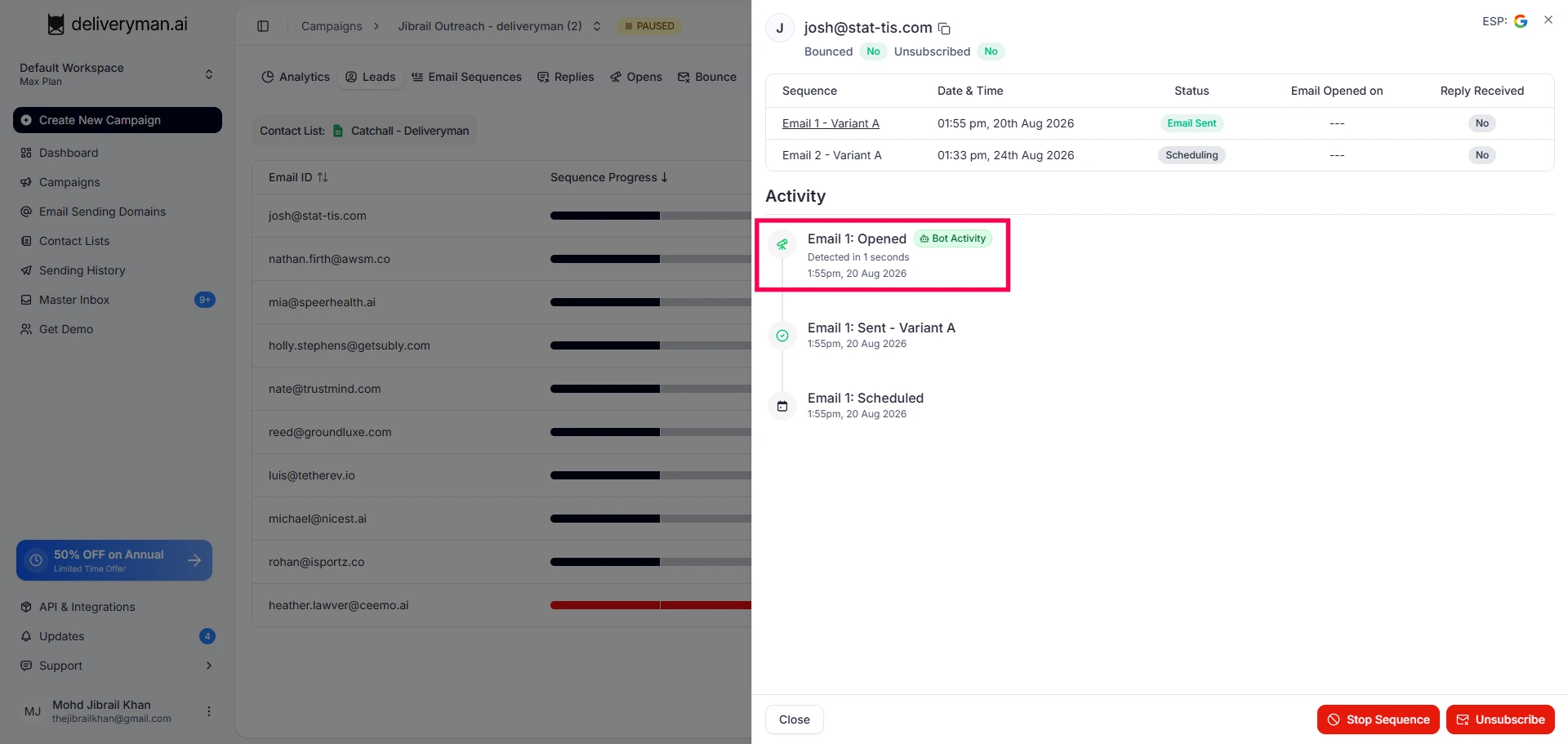
When DeliverymanAI detects a bot open, you will see Bot Activity in the lead's activity history.
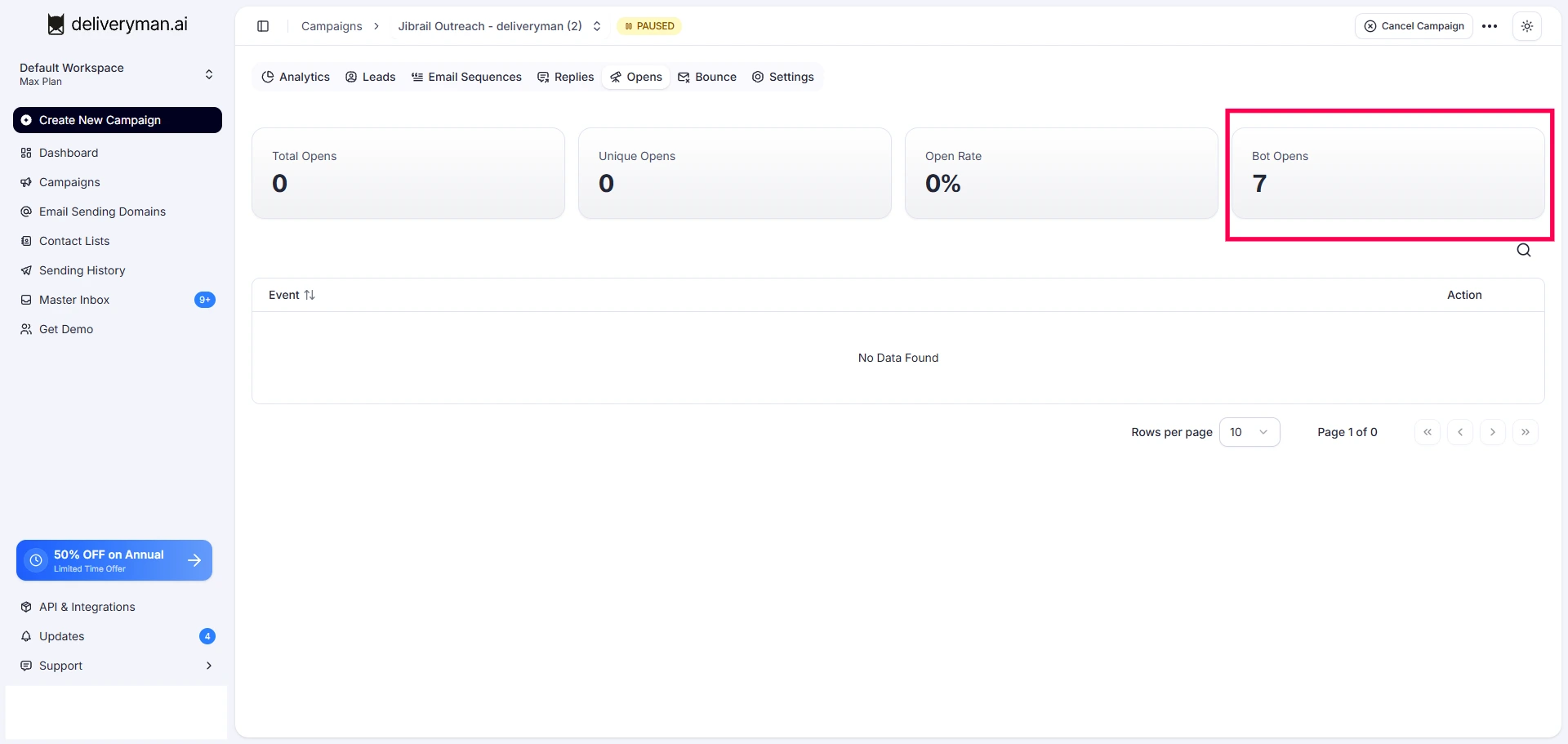
You can also see the total number of Bot Opens in the campaign's Opens section.
Why is the default set to 40 seconds?
We set 40 seconds as the default Detection Window based on our research & testing.
Bot opens can happen within 40 seconds after an email is delivered. Using this window helps Deliveryman AI identify these early automated opens & keep them out of your real open data.
You can change the Detection Window if needed.