Create Contact List
After you add your domain, the next step is to upload your contact list. This list has the people you want to reach through your cold email campaign. Once you upload it, we will verify and clean the contacts to make sure they are valid and ready to send.
Upload Contact List
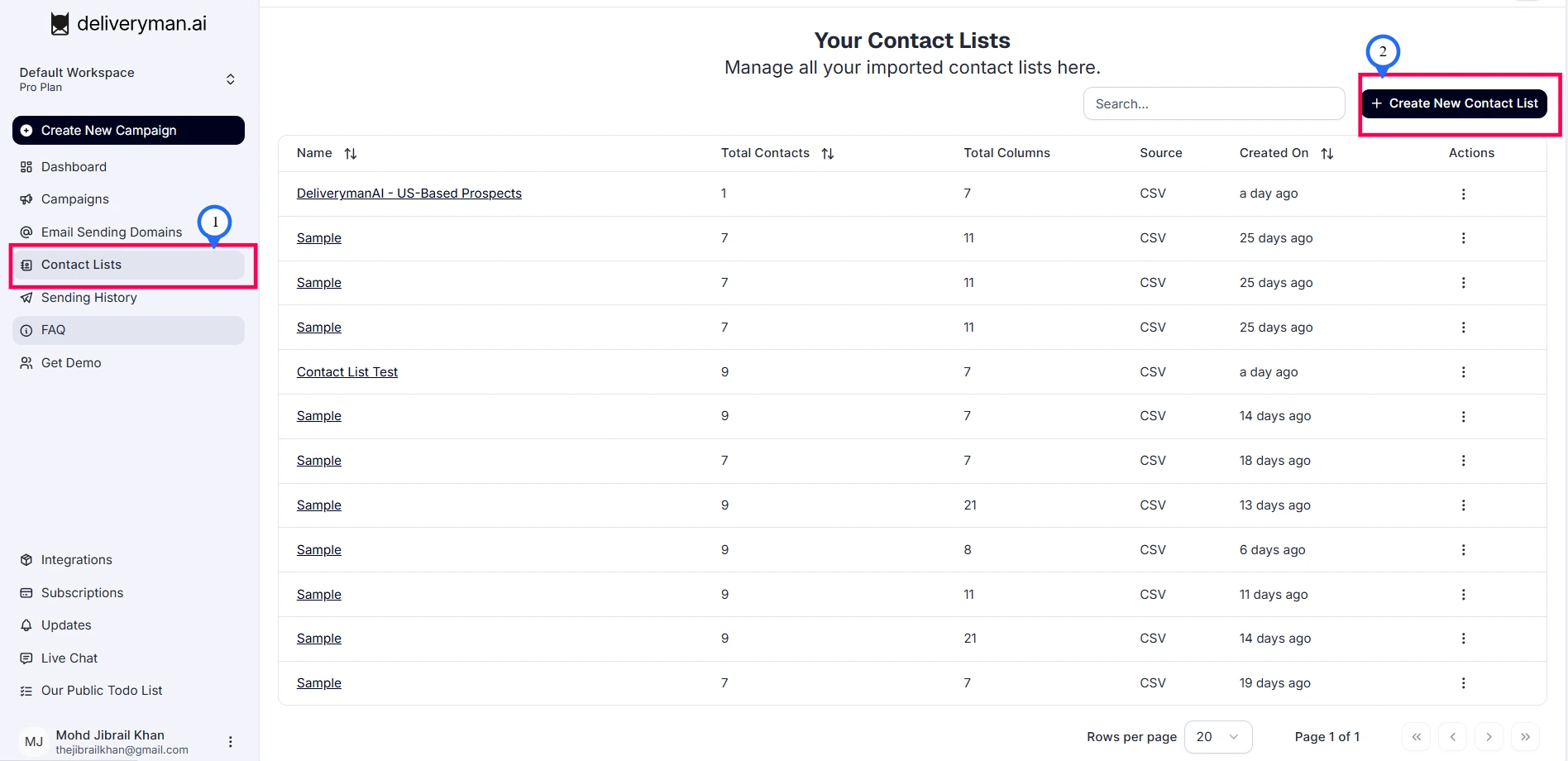
Go to Contact Lists from the dashboard sidebar and click Create New Contact List.
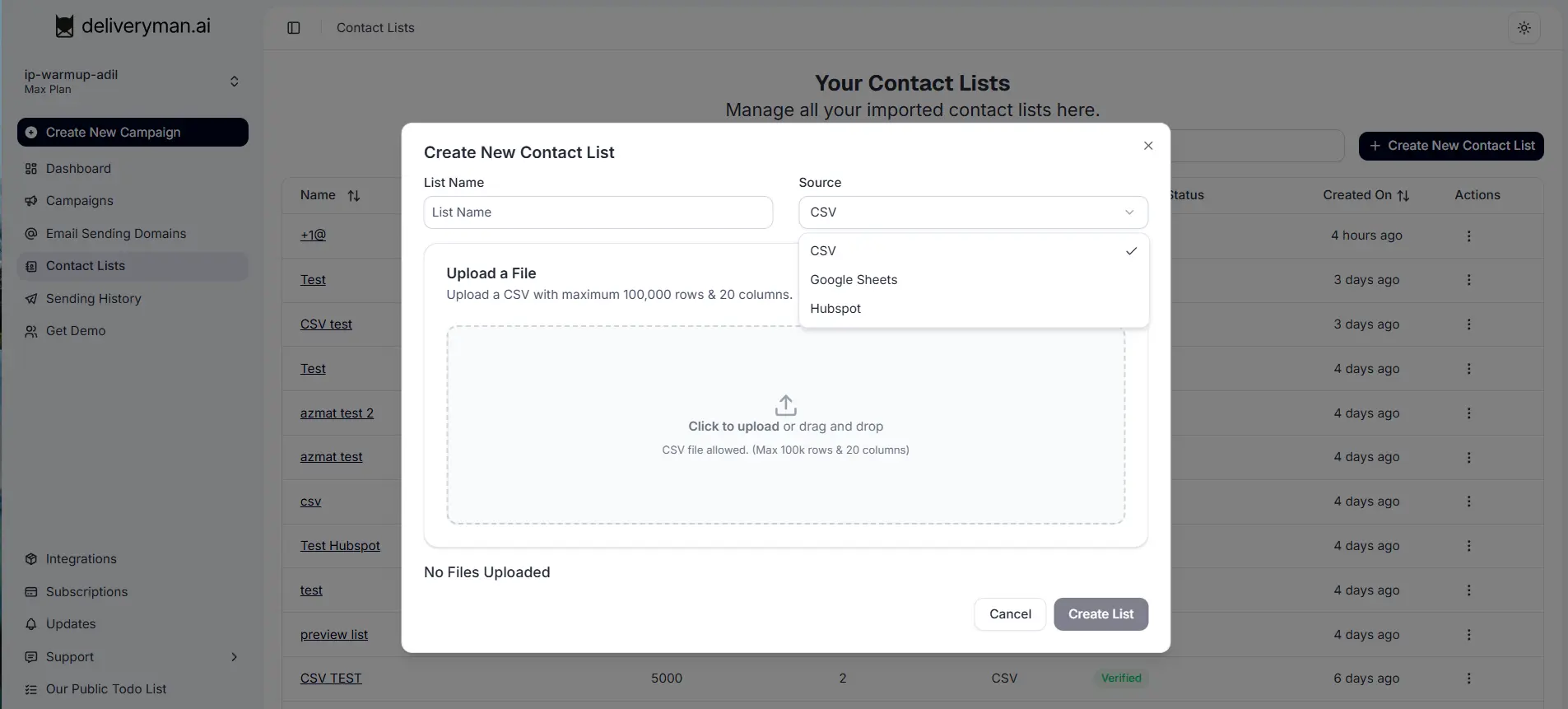
Enter a List Name that helps you identify the segment. Then choose the contact list source.
Deliveryman AI currently supports importing contacts from:
- CSV files
- Google Sheets
Your contact list can include columns such as First Name, Last Name, Email, Company, Website, and other custom fields.
File Requirements:
- Maximum 100,000 rows per upload
- The Email field is required for sending campaigns
Upcoming Integrations:
We are continuously expanding our integrations. Soon, you will be able to directly import contact lists from platforms such as:
- HubSpot
- Salesforce
- Zapier
- N8N
- Instantly
- Smartlead
- and more.
These integrations will allow you to seamlessly sync contacts from external platforms into Deliveryman AI.
Mapping your Contact List
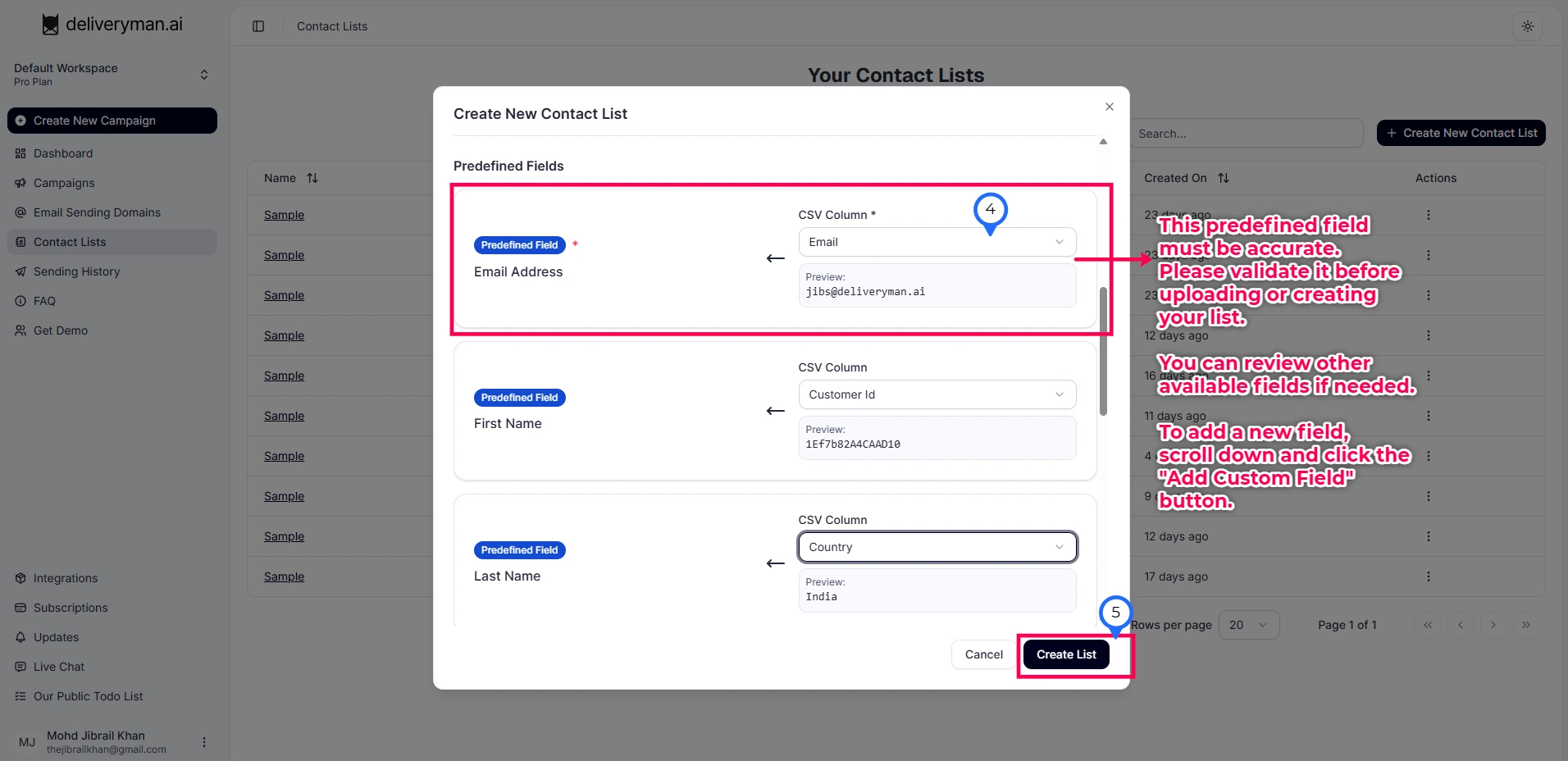
After importing your contact list, you will be guided through a field mapping step to match your data with the correct predefined fields. This ensures your contacts are properly structured and ready to use in campaigns.
The Email Address field is required. If your list does not contain a valid email column, or if it is not mapped correctly, the system will prevent you from creating the list until the issue is resolved.
You can also map additional fields such as First Name, Last Name, Company, or any other relevant information from your file.
If your dataset contains fields that are not listed, click Add Custom Field to create and map them.
Once all fields are mapped correctly, click Complete to finish setting up your contact list. After the list is created, email verification will begin automatically to clean your list and ensure only valid email addresses are used in your campaign.
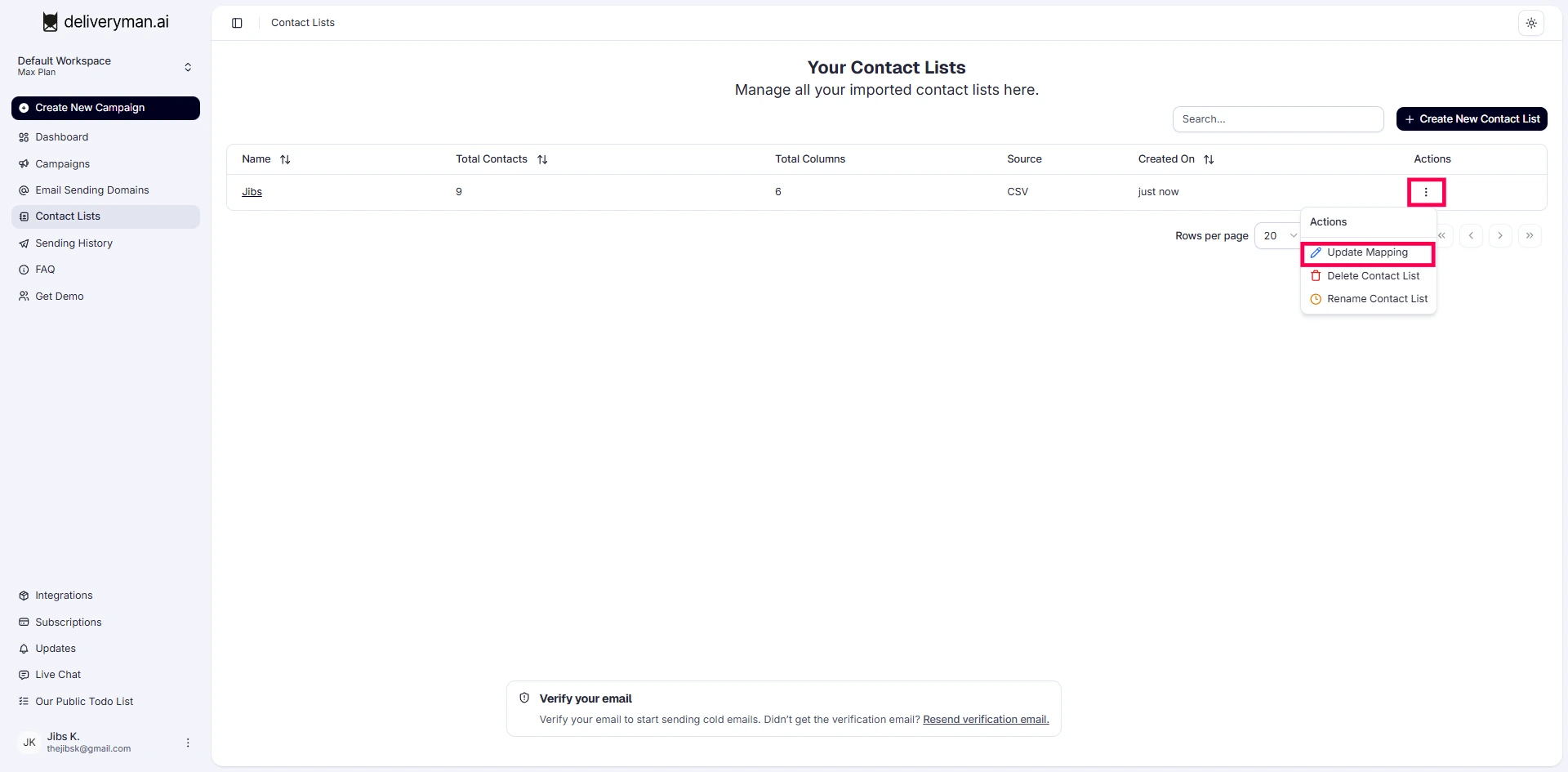
You can also update the mapping.