How to Add a Domain?
You might be wondering why a domain is needed for cold email.
The reason is simple: we need a domain to create email sending accounts, which are then used to send cold emails.
We recommend using a secondary domain (for example: tryyourcompany.com) that closely matches your main domain (yourcompany.com). This helps build trust with your recipient from all the reputation related risks.
We also let you redirect traffic from your secondary domain to primary domain.
This helps build traffic to your primary site while keeping your outreach safe. You can add as many domains as you like. The more domains you add, the more cold emails you can send. Lets get started.
Adding Domain
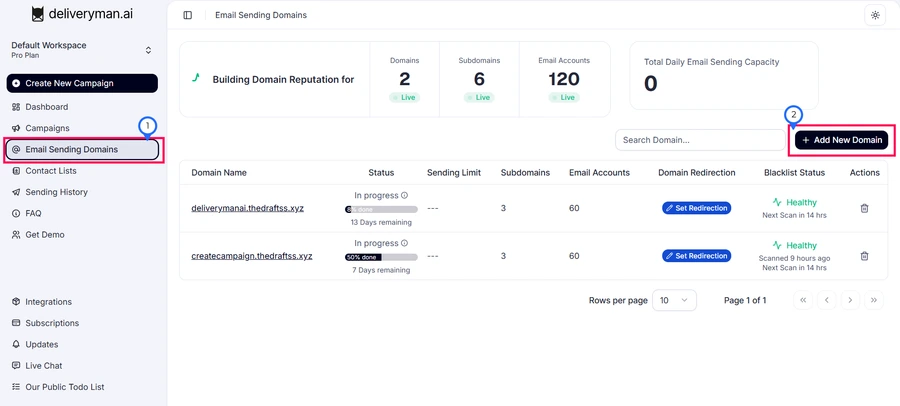
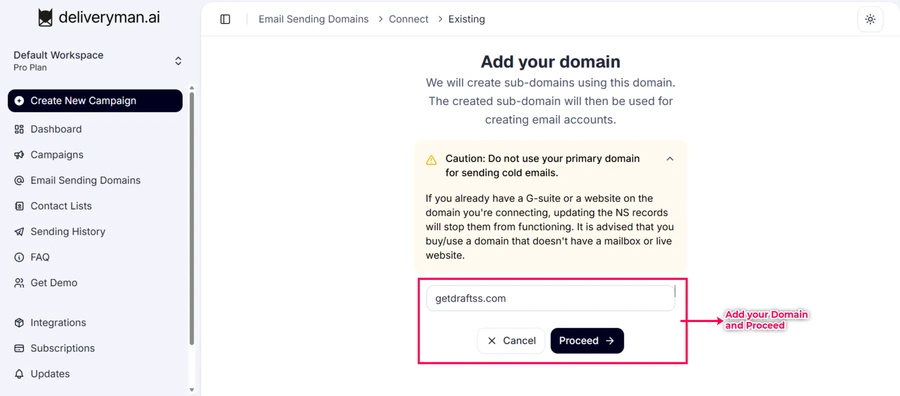
Go to Email Sending Domains in your sidebar, click Add New Domain, and enter your domain. If your domain already has G-suite or a live website, updating NS records may break them. It’s best to use a fresh domain without email or website setup.
Domain Name Server (NS) Record Configuration
Next, you'll need to add NS records for your domain.
You can do this from the platform where you purchased your domain.
This is the only configuration you need to complete. Once your NS records are correctly pointed, we'll automatically create all the required DNS records including SPF, DKIM, etc. for you.
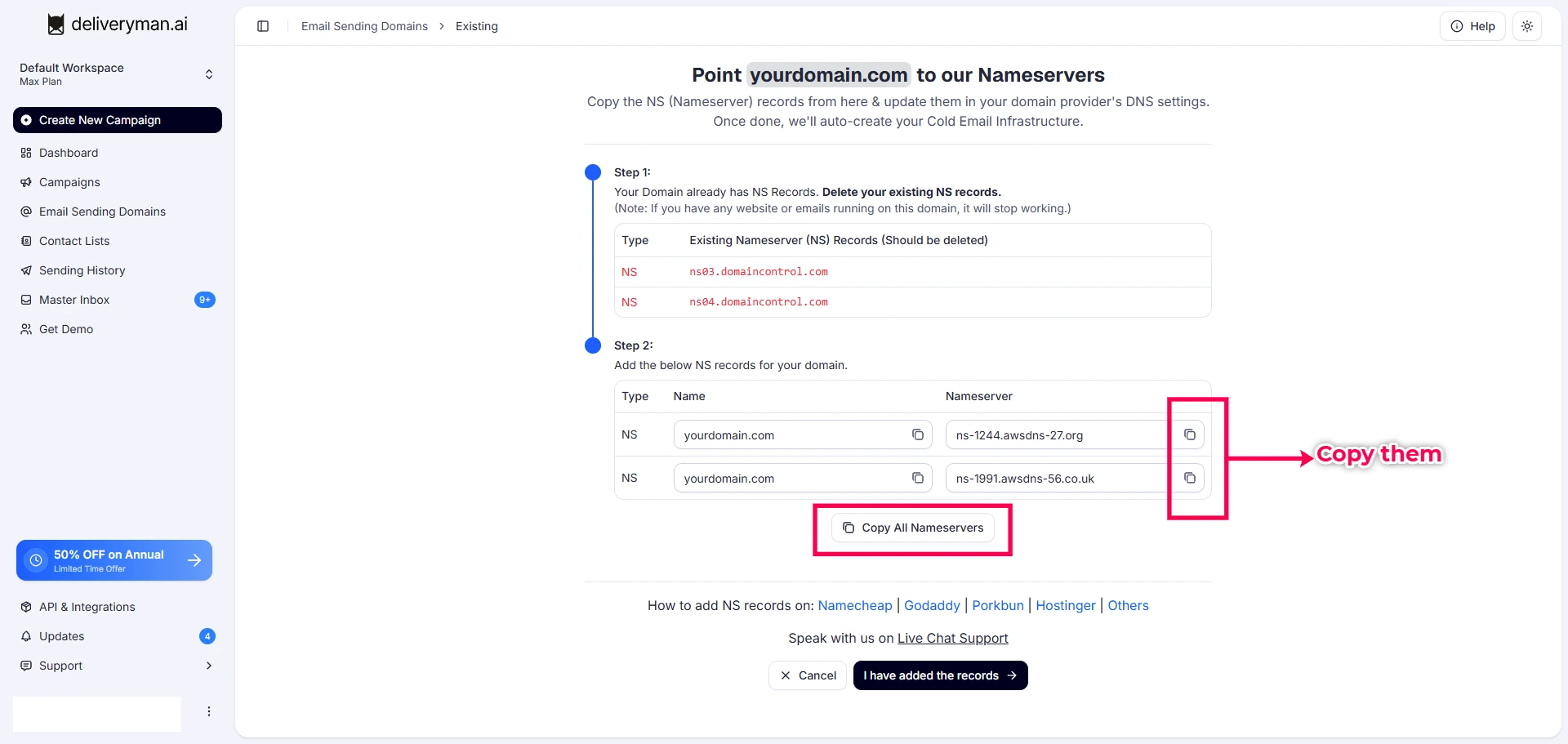
Copy the NS records & add them to your domain provider's DNS settings. Once added, it might take some time for the nameserver changes to propagate. Ideally this should only take between 2-3 mins or in very rare cases upto 48 hour. Need help with pointing NS Records? Here is a short guide for different platforms:
- Updating NS Records on Porkbun
- Updating NS Records on Hostinger
- Updating NS Records on Namecheap
- Updating NS Records on GoDaddy
- Updating NS Records on Other Domain Providers
Sending Email Account Setup
Next, we auto create the required email accounts that will be used for sending cold emails along with the entire sending infrastructure around it. All you have to do is choose the name for these emails.
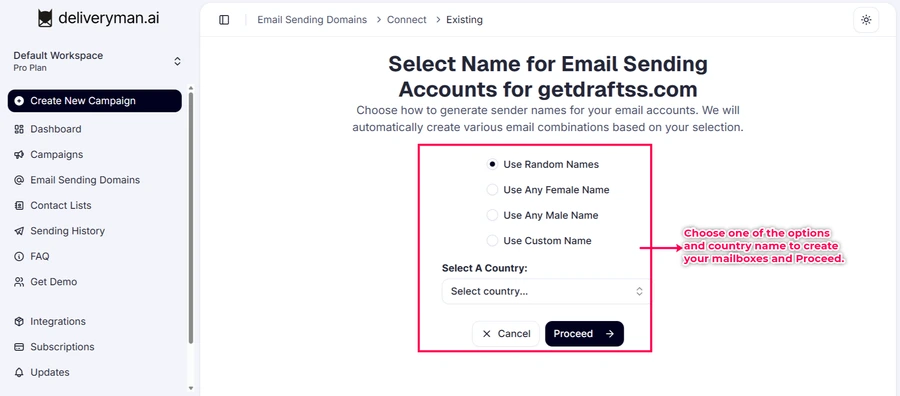
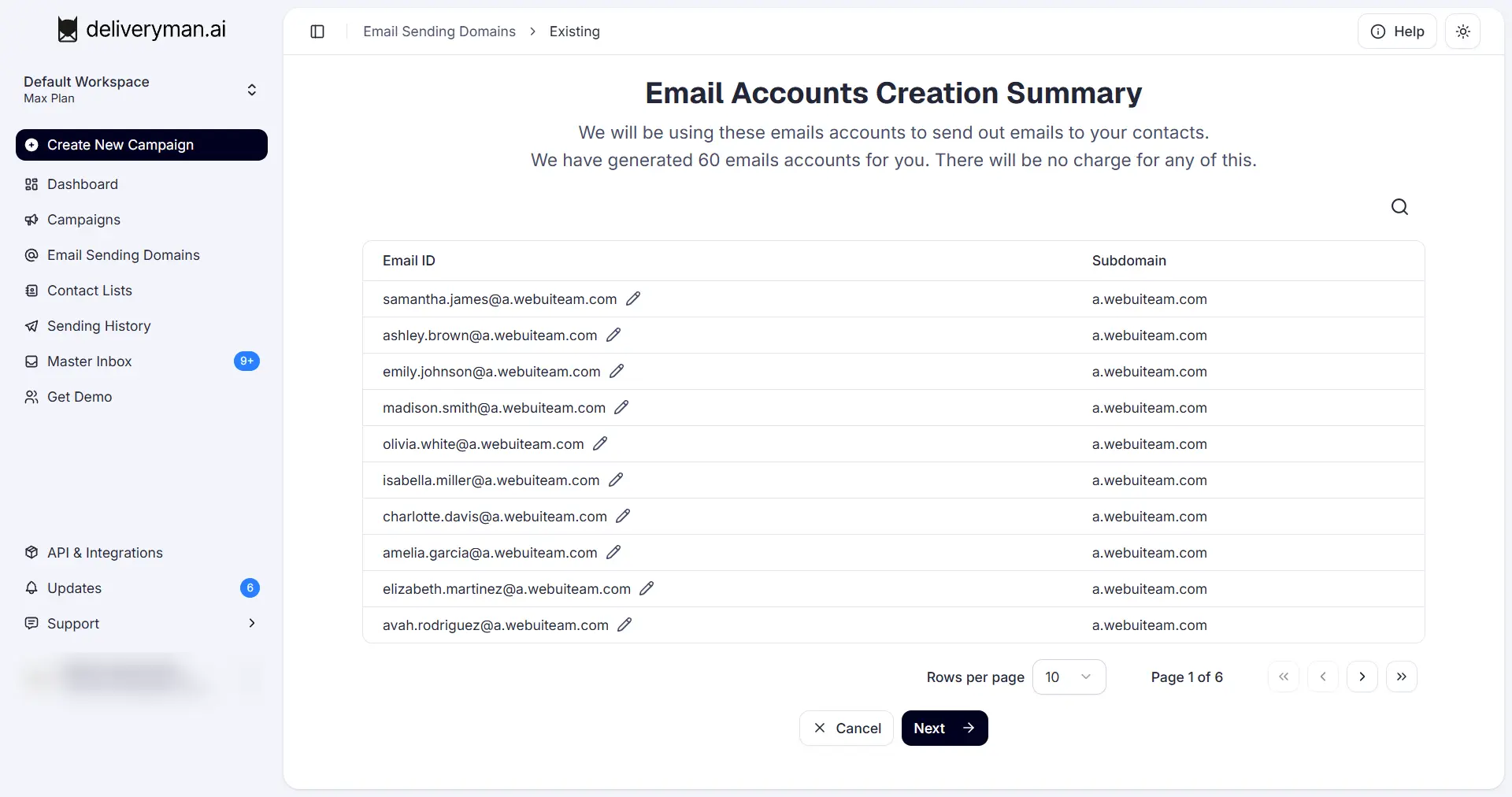
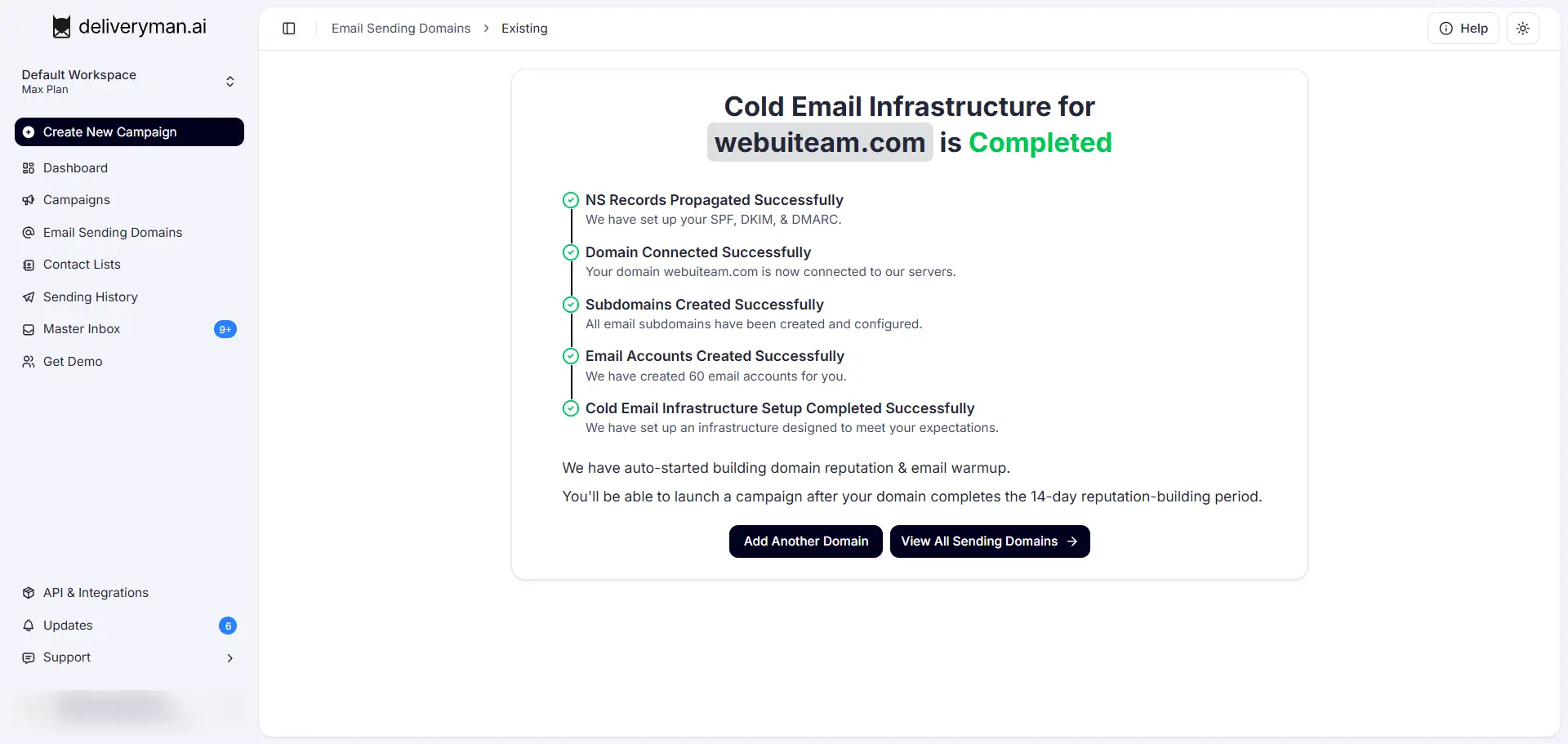
Wait a few mins and done! Your Email with Deliveryman.ai along with all the Email Accounts, DNS, SPF, DKIM, DMARC & Other Records Done for you. This is where your cold email Infrastructure begins its journey.
After this, the domain will go into a Reputation Building & Warmup stage after which you can start sending cold emails.
Domain Reputation Building & Email Warm up
Once your domain is connected, Domain Reputation Building & Email warmup process automatically starts. We build your domains reputation across different ESPs (Email Sending Platforms) like Gmail, Outlook & Others.
When you first connect your domain, it goes into the domain reputation building stage for 14 days to build trust & prepare your domain for real cold email campaigns. After this you can start sending out cold emails.
But even then your domain reputation & email warmup doesn't stop. We keep doing this activity daily for each of your domain.
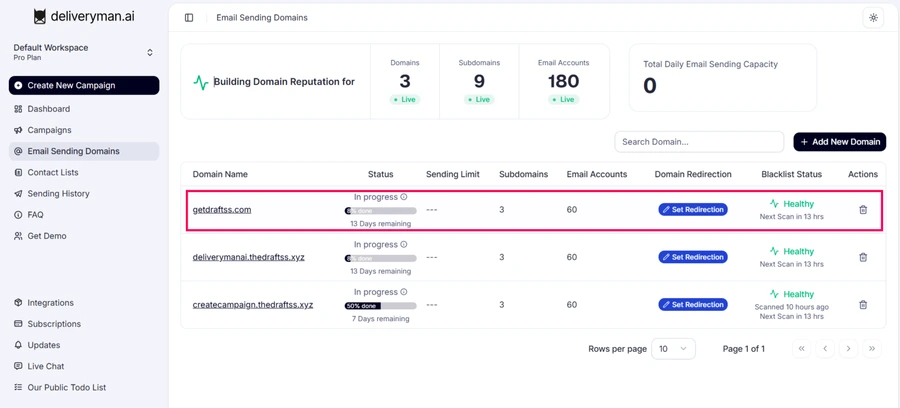
We also scan the domain across different blacklist and show domain's health status, so you know if it’s safe or blacklisted.
You can also set a redirection link to send visitors to your main website (primary domain).
This section gives you a quick view of your domain’s setup, health, and readiness for sending emails.