
Step-by-Step Video Instructions
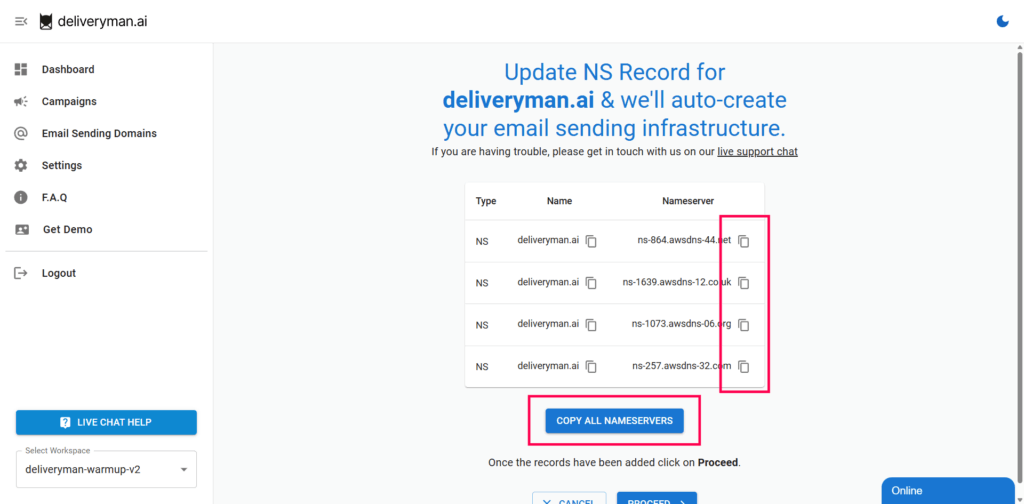
1. Find your NS records from your DeliverymanAI Dashboard & copy them.
To connect your domain name with DeliverymanAI, you will have to add the NS records that can be found on Email Sending Domains (on the left panel).
Then click on Add New / Existing Domain and then add the domain URL that you want to connect.
2. Log in to your GoDaddy account & Go to My Products
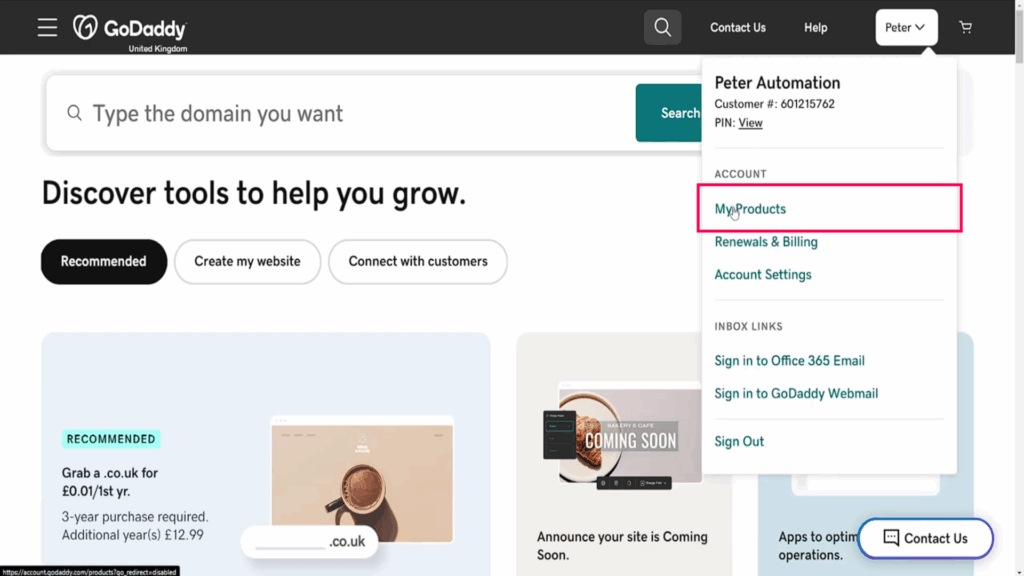
After logging into your Godaddy account, click on YOUR NAME on the top right corner.
Click on MY PRODUCTS to find a list of all your registered domains.
3. Select Your Domain & Click on DNS Button
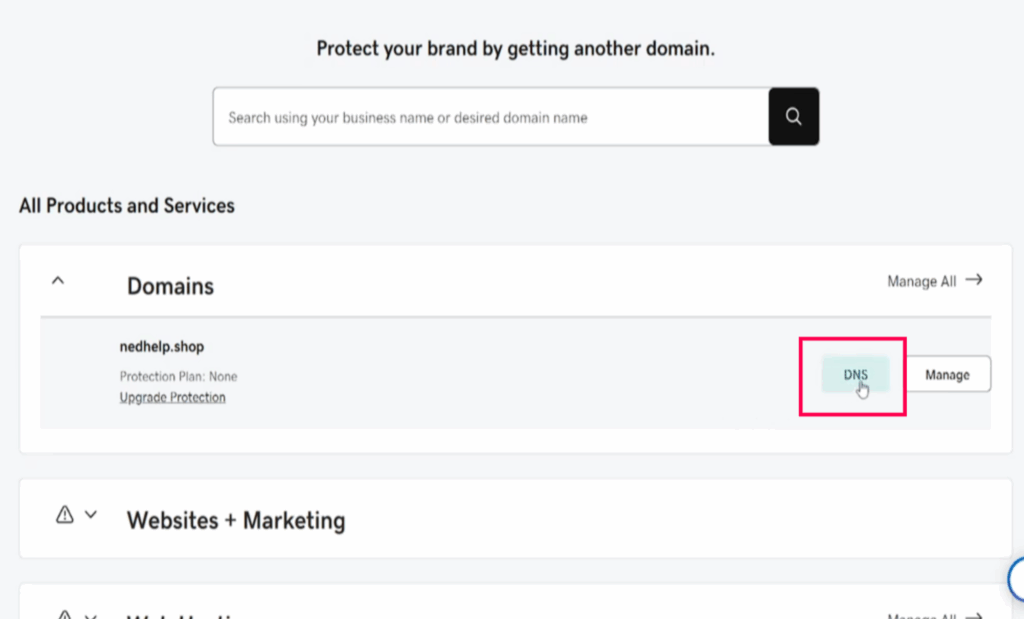
Click on DNS and a window will popup.
Hovering on the domain that you’re adding will show you the DNS button.
4. Add Records and Select NS
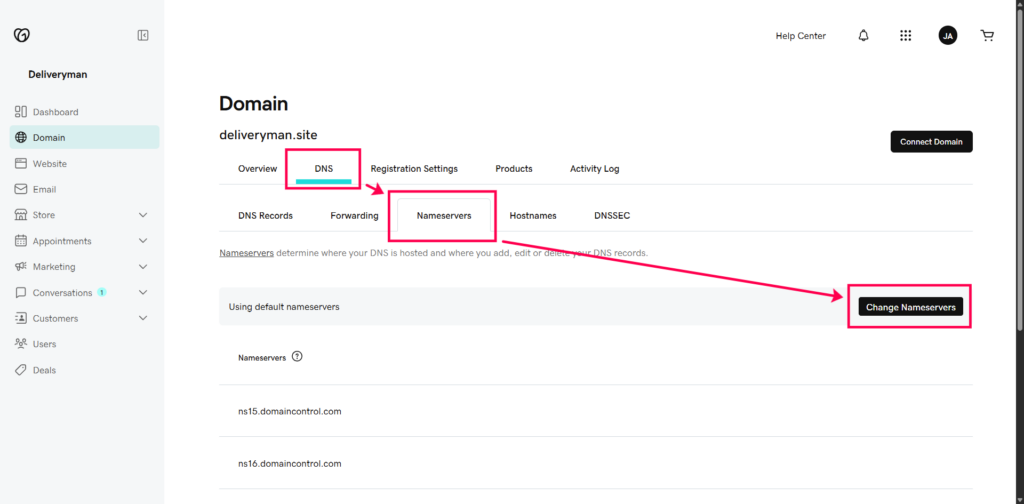
In the page click on DNS > Name Servers > Change Nameservers > I’ll use my own nameservers to add a new record.
In the row paste the NS records that you had copied earlier from DeliverymanAI.
Repeat it for adding all records.
5. Wait for GoDaddy to Propagate
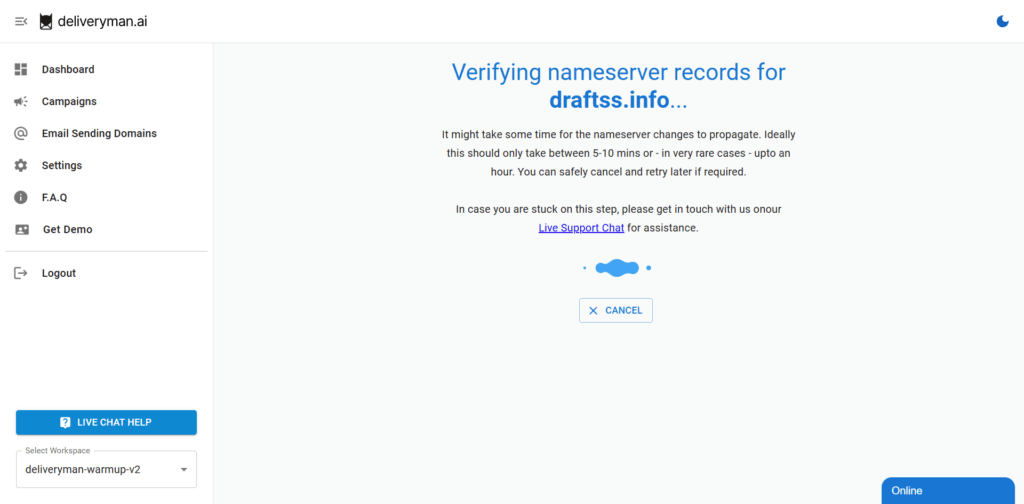
It takes around 5-10 minutes for the NS Records to propagate through the most popular registrars like GoDaddy.
However, GoDaddy mentions that it may take up to 48 hours for the NS records to get updated due to DNS Caching.
6. Superb! You’re all set.
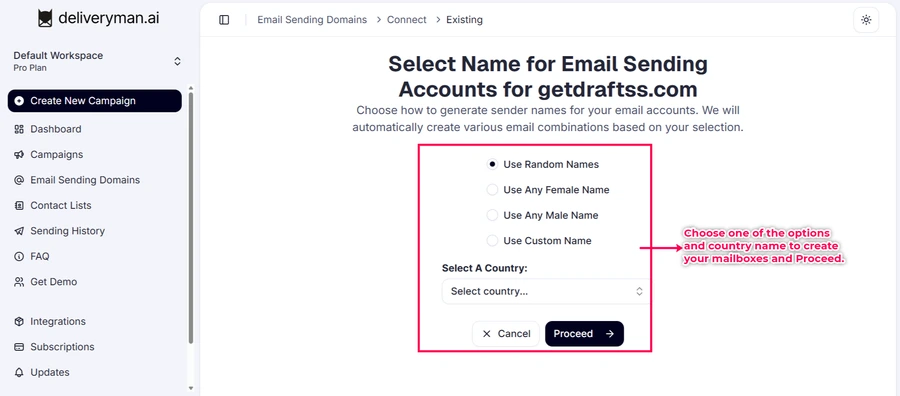
Once NS Records have propagated through, you will see the following screen.
If you’re still facing any issues with updating the NS records and need help, reach out to us via live chat on the DeliverymanAI website.