
This is the fourth post in our Cold Email Myths series, where we take the things everyone repeats about cold email and check them against real campaign numbers.
Here’s a myth that is half true, which makes it more dangerous than most.
Your main company domain probably does have the best deliverability you own. It’s years old, fully authenticated and full of real conversations with customers. Gmail and Outlook trust it. So the logic goes: send cold email from it, and it will land in the inbox.
It might, for a while. But that trust is exactly why your main domain is the wrong cold email domain. Cold outreach is the riskiest email you send, and your main domain is the one place you can’t afford to take that risk.
Why your main domain has better deliverability
The myth starts from something real. Mailbox providers score every sending domain, and your main domain scores well because:
- It’s old. Domain age and a long, steady sending history build trust.
- People want its email. Customers open, reply to and search for emails from your domain. That engagement is the strongest signal providers use.
- Complaints are rare. Invoices, support replies and team emails almost never get marked as spam.
- It’s usually set up properly. SPF, DKIM and DMARC are often already in place.
So yes, the first cold emails from your main domain will often land well. That’s what makes the myth convincing.
Why you shouldn’t use your main domain as your cold email domain
Cold email is different from every other email your company sends. You’re writing to people who didn’t ask to hear from you. Even a good campaign gets some bounces, some spam complaints and plenty of emails nobody opens. All of that counts against the domain that sent it.
1. Domain reputation is shared by everything on it
Reputation is tracked largely at the domain level. If cold email drags your main domain’s reputation down, every email from that domain is affected, not just the cold ones:
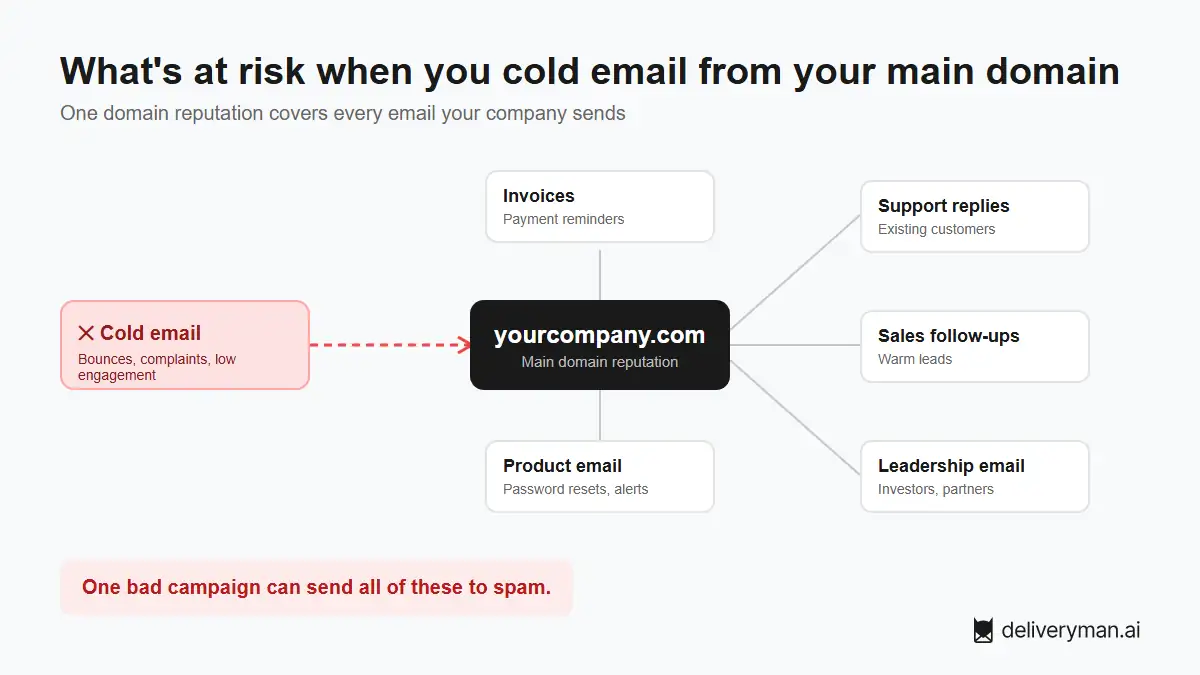
- Invoices and payment reminders
- Password resets and product notifications
- Support replies to existing customers
- Your sales team’s replies to warm leads
- Your CEO’s emails to investors and partners
A cold email campaign that goes wrong can send your most important business email to spam.
2. Recovery is slow
A damaged domain doesn’t bounce back overnight. Rebuilding reputation can take weeks or months of careful, low-volume sending. With a separate sending domain, you can pause it and keep working. With your main domain, there’s nothing to pause. Your whole company runs on it.
3. Blocklists hit everyone
If enough recipients complain or your emails hit spam traps, your domain can end up on a blocklist. Some company mail servers check those lists and reject your email outright. That’s your whole team, not just the sales team.
4. You can’t scale one domain
Every domain has a safe daily volume. Your main domain already carries all your normal business email, so there’s little room left for outreach. The way to send more cold email is to add more sending domains, and you only have one main domain.
5. A subdomain isn’t a full firewall
Sending from something like outreach.yourcompany.com feels safer, but mailbox providers can still link a subdomain’s behavior back to the main domain. A subdomain of your main domain isn’t a safe place for cold email. A separate domain is.
Main domain vs. dedicated cold email domains
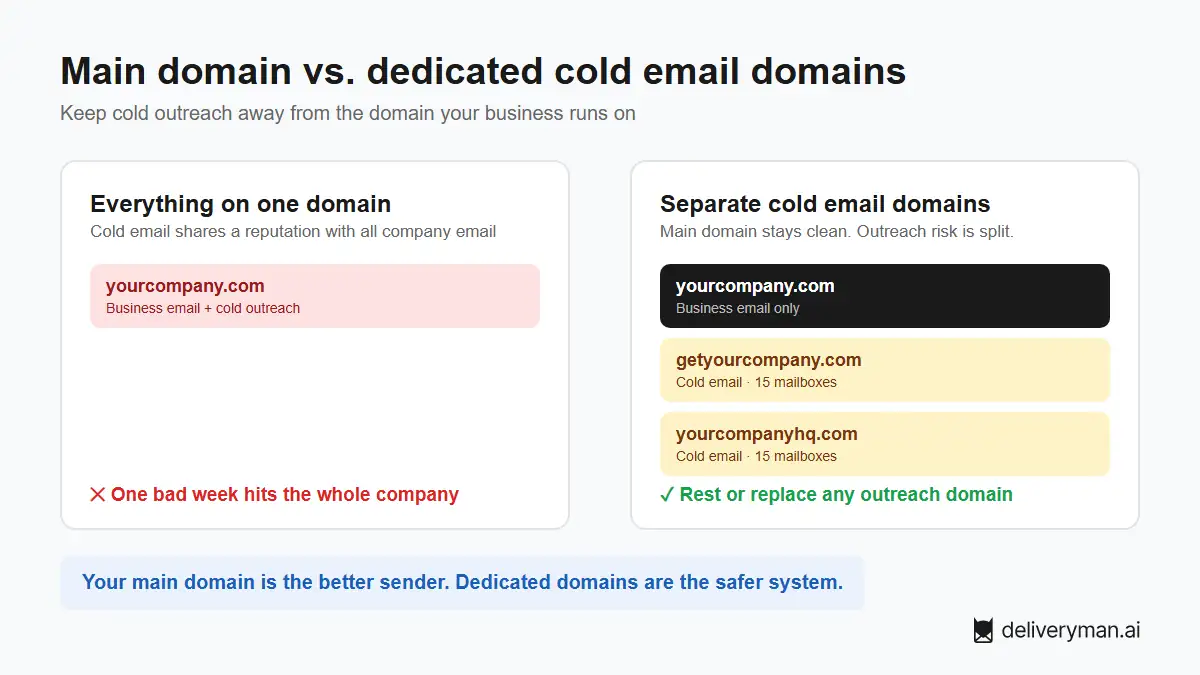
| Your main domain | Dedicated cold email domains | |
|---|---|---|
| Deliverability today | Usually the best you have | Good once warmed up |
| What’s at risk | All company email | Only that outreach domain |
| If reputation drops | Invoices, support and team email suffer | Pause it, keep sending from the others |
| Room to scale | One domain, already busy | Add as many as you need |
| Recovery | Slow, and you can’t stop using it | Rest it or replace it |
Your main domain is the better sender. Dedicated domains are the safer system. For cold email, the system matters more.
How to set up the right cold email domain
1. Buy a secondary domain that looks like your brand
Pick a name people will recognize as you: variations like getyourcompany.com, tryyourcompany.com or yourcompanyhq.com. Stick to .com where you can. Avoid names that look random or misspelled, since they look like spam to both people and filters.
2. Point it to your real website
Redirect the new domain to your main website. Anyone who checks the domain lands on your real company, which builds trust with prospects.
3. Authenticate it fully
Set up SPF, DKIM and DMARC on every sending domain before the first email. A new domain without authentication goes straight to spam.
4. Warm it up before cold outreach
A brand-new domain has no reputation. Warm-up gives it a history of normal, engaged email before you send a single cold message. Skipping it is the fastest way to waste a new domain.
5. Spread it across several mailboxes
Use several mailboxes on each domain, each sending a small daily volume. Use real names and real signatures, so replies feel like they come from a person at your company.
6. Keep your main domain for the conversation
Once a prospect replies and the deal gets real, you can move the conversation to your main domain. Warm, two-way email is exactly what your main domain is good at.
“Won’t prospects trust a different domain less?”
Not if it’s done right. Most people never look closely at the domain. They read the name, the first line and whether the email is about them. A brand-like domain, a real sender name, a proper signature and a link that leads to your real website cover the rest.
Two real campaigns run on Deliveryman prove it. Neither sent a single email from the company’s main domain. Both used secondary domains set up only for cold outreach. One reached a 46.12% reply rate from two warmed-up secondary domains (case study), and the other a 22.66% reply rate from one (case study). Both are many times above the 1% to 5% most benchmarks call normal. Prospects replied because the emails were relevant and landed in the inbox, not because they came from the main domain.
Quick cold email domain checklist
- Never send cold email from your main company domain.
- Don’t use a subdomain of your main domain either.
- Buy separate, brand-like domains (.com where possible).
- Redirect them to your real website.
- Set up SPF, DKIM and DMARC on each one.
- Warm up every domain before cold outreach.
- Use several mailboxes per domain with real names and signatures.
- Move warm conversations to your main domain once prospects reply.
FAQ
Should I use my main domain for cold email?
No. Your main domain may have the best deliverability, but cold email puts its reputation at risk, and every other email your company sends depends on that reputation. Use separate domains for cold outreach.
What is a secondary domain for cold email?
A secondary domain is a separate domain you buy only for cold outreach, such as getyourcompany.com. It looks like your brand and redirects to your website, but it has its own reputation, so problems with outreach never reach your main domain.
Can I use a subdomain of my main domain for cold email?
It’s safer than the root domain, but not safe. Mailbox providers can connect a subdomain’s reputation to its parent domain. A completely separate domain is the better choice.
What is the best domain name for cold email?
A .com that clearly looks like your brand, such as getyourcompany.com or yourcompanyhq.com. Avoid random or misspelled names, and redirect the domain to your main website.
How many cold email domains do I need?
It depends on how many new leads you want to reach each day. Keep each domain under a safe daily limit and add domains as volume grows, with one or two extra domains warming up as backups.
Do I need to warm up a new cold email domain?
Yes. A new domain has no sending history, so providers don’t trust it yet. Warm it up fully before sending cold email, or your first campaign will likely land in spam.
Keep your main domain safe. You bring a separate domain. Deliveryman turns it into 15 warmed-up mailboxes, sets up SPF, DKIM and DMARC, verifies your list and spreads your sending so no mailbox carries too much. See pricing.