

Cold email has quietly become one of the strongest growth levers for most B2B startups. Not because it’s fancy.But because it’s direct. You’re reaching out to people who could genuinely benefit from what you’re building and starting conversations that can turn into partnerships, customers, or insights you simply can’t get anywhere else. At its simplest, […]
Read Article
Choosing the best lead generation tool in 2026 is not just about finding emails anymore. The better question is: which tool helps you find the right people and enrich their data without turning your tech stack into a mess? That matters because lead generation is usually where the quality of the whole pipeline is decided. […]
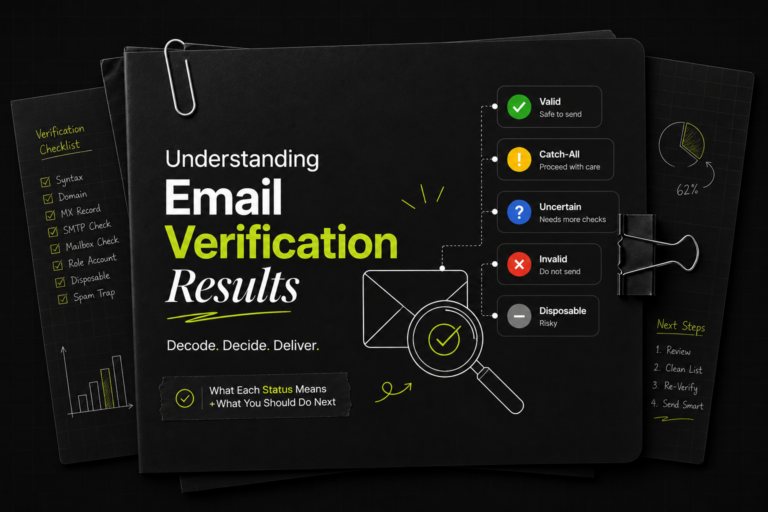
Every email you send is a small bet on your sender reputation. Land in a real, active inbox and you earn a little more trust with mailbox providers. Hit a dead address, a spam trap, or a throwaway inbox and you chip away at the deliverability you've spent weeks warming up. The math is brutal: […]
Buying cold email inboxes is one of those tasks that looks deceptively simple, until you've spent $300 on mailboxes that burn within 30 days, watched your reply rates crater, and started the whole cycle over. The market for cold email inboxes is full of low-quality providers selling warmed-but-not-really accounts that fail fast. This post is […]

If you have never tried cold email outreach, you might be overlooking one of the simplest and most reliable ways to grow your business. Many founders and marketers still assume cold email is “spam,” but real cold outreach is not spam at all. It is a direct, personal, one-to-one message delivered to someone who can […]

If you work with cold email or run email infrastructure, you will eventually come across different blocklists. One name that shows up often is UCEPROTECT, especially UCEPROTECTL3. For many people, seeing their IP on a blacklist immediately causes panic. But in reality, UCEPROTECTL3 is usually not something you need to lose sleep over. Let’s explain […]

How to check if you are listed in the Kundenserver? How to remove a Domain/IP address from Kundenserver?

How to check if you are listed in ORVE DB? How to remove a Domain/IP address from ORVE DB?
How to check if you are listed in the Sector TOR Server? How to remove a Domain/IP address from the Sector TOR Server?

How to check if you are listed in UCE Protect Level 1? How to remove a Domain/IP address from UCE Protect Level 1?

How to check if you are listed in UCE Protect Level 1? How to remove a Domain/IP address from UCE Protect Level 1?

How to check if you are listed in CBL Abuseat? How to remove a Domain/IP address from CBL Abuseat?
1. Find your NS records from your DeliverymanAI Dashboard & Copy them 2. Log in to your Google Cloud account & go to Cloud Home 3. Paste/Replace Old Nameservers 4. Wait for Google Cloud to propagate
1. Find your NS records from your DeliverymanAI Dashboard & Copy them 2. Log in to your Dyn account & go to Overview 3. Paste/Replace Old Nameservers 4. Wait for Dyn to propagate
1. Find your NS records from your DeliverymanAI Dashboard & Copy them 2. Log in to your ResellerClub account & go to Products 3. Paste/Replace Old Nameservers 4. Wait for ResellerClub to propagate
1. Find your NS records from your DeliverymanAI Dashboard & Copy them 2. Log in to your Etisalat account & go to Domain Dashboard 3. Paste/Replace Old Nameservers 4. Wait for Etisalat to propagate
1. Find your NS records from your DeliverymanAI Dashboard & Copy them 2. Log in to your SiteGround account & go to Domains 3. Paste/Replace Old Nameservers 4. Wait for SiteGround to propagate
1. Find your NS records from your DeliverymanAI Dashboard & Copy them 2. Log in to your Tucows/OpenSRS account & go to Query 3. Paste/Replace Old Nameservers 4. Wait for Tucows/OpenSRS to propagate

If you're looking to send cold emails that land in the inbox and scale outreach without needing GSuite or Microsoft 365 setups, Deliveryman AI has got you covered. This guide will walk you through the entire process from signing up to launching your first cold email campaign. Step 1: Sign Up on Deliveryman AI Head […]


