Building the Best
Cold Email Infrastructure.
A running log of everything we've
improved, fixed & learned along the way.
Update: Improvements & Fixes
We've shipped several fixes and improvements to make Deliveryman intuitive and easier to use.
- Campaign Progress Fix: Fixed the incorrect “Leads Left to Contact” count in completed campaigns.
- Master Inbox Fix: Resolved an issue where email content didn't match the selected conversation.
- Sending History: Added filters and export options to help you find and download sending records.
- Reply Notifications: Separated campaign reply notifications from the Master Inbox unread count.
- Plain Text Emails: Disabled forced open tracking for plain text emails.
- Reply Composer: Added To and CC fields to the reply side drawer.
- Download Original Emails: You can now download the original .eml file for replies in the Master Inbox.
- Attachment Downloads: Improved email attachment downloads and removed attachment previews from the email sending interface.
- Incoming Attachments: Fixed an issue affecting attachments in incoming emails.
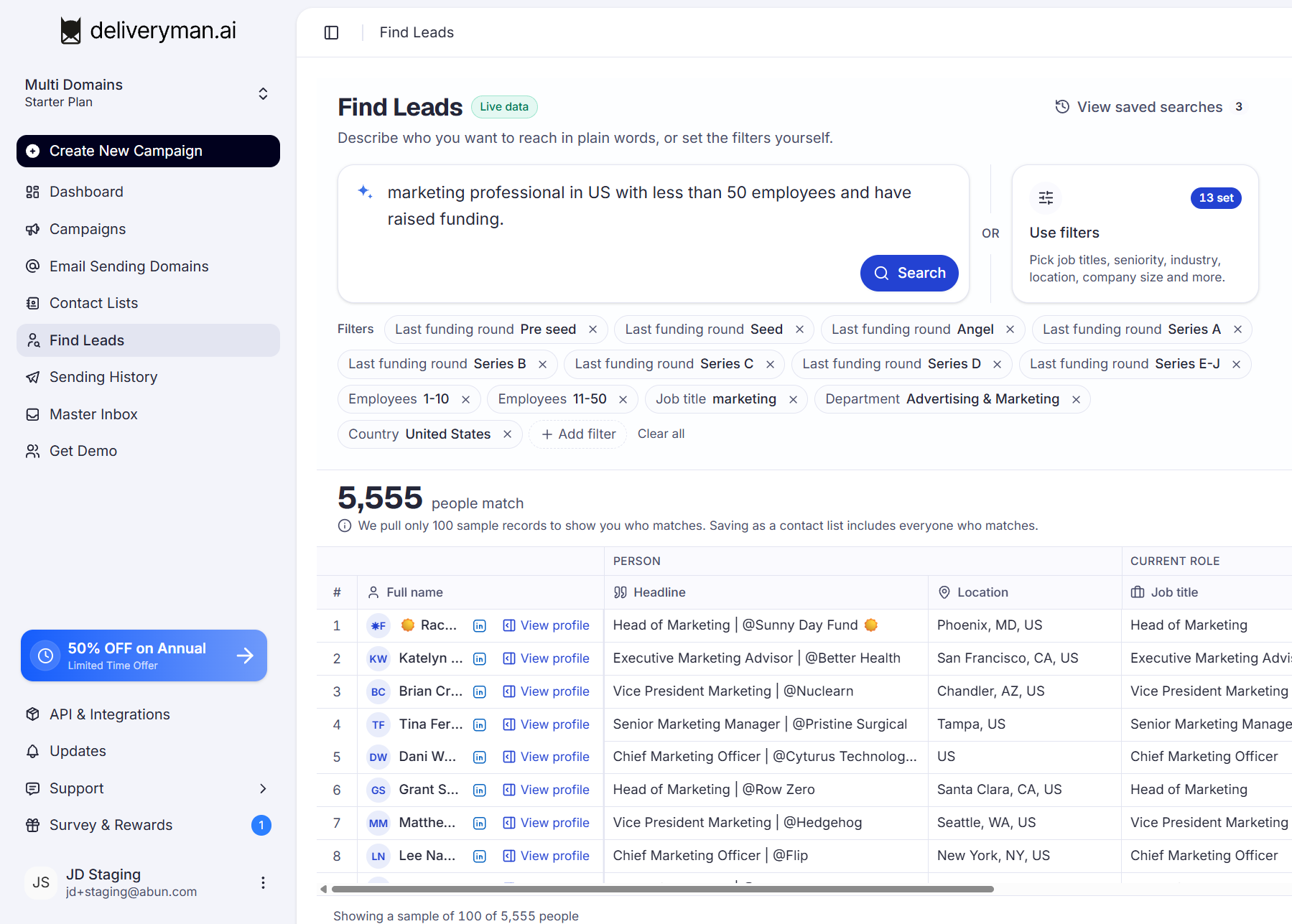
Coming Soon: Find Leads on Deliveryman
Describe your target audience in plain English or use filters to narrow down leads by job title, industry, location, company size, funding stage, and 10+ other parameters.
Find the right people, discover matching companies, and save your results directly to a contact list for your next campaign.
New: Choose your campaign sends strategy
When you launch a campaign, the Review & Send step now lets you pick a sending strategy.
Each option shows an estimated finish date, so you can compare speed and safety before you hit send.
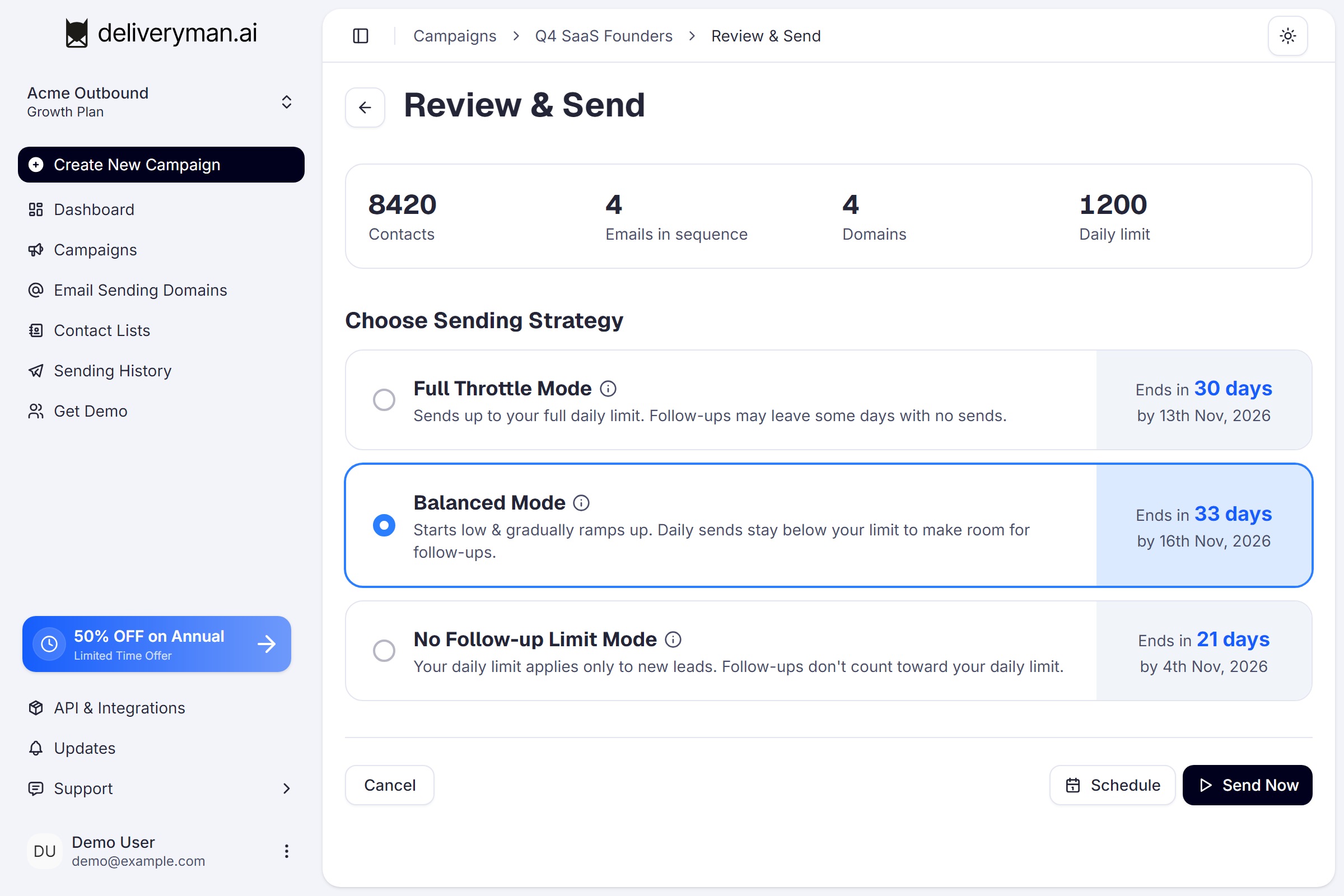
- Full Throttle Mode: sends up to your full daily limit every day. It mostly finishes faster than Balanced Mode, and new sends never delay follow-ups. Because follow-ups can't go over your limit, some days may have no sends.
- Balanced Mode (recommended): starts low and gradually ramps up, keeping daily sends below your limit to leave room for follow-ups. You get steady, predictable volume with no idle days, and your daily limit is always respected. It sends fewer emails in the first few days.
- No Follow-up Limit Mode: your daily limit applies only to new leads, and follow-ups are sent on top of it. This is the fastest way to finish a campaign, but total daily volume can go over your limit. At high volumes this may affect your domain reputation over time.
Not sure which to pick? Hover the ⓘ icon next to any mode for a full explanation, or go with Balanced Mode, the safe default for most campaigns.
Single-email campaigns skip this step, since there are no follow-ups to plan around.
New: Positive, Negative and Neutral tabs in Master Inbox
Sort your replies without scrolling.
- Master Inbox now has separate tabs for Positive, Negative and Neutral replies, along with thread counts, so you can jump straight to the conversations that matter.
- Deleting a draft now removes only that draft, not the entire thread.
- Reply Routing: Forwarded replies now include the original message in the email body.
New: High Intent Leads
You can now see which leads are most engaged with your campaigns.
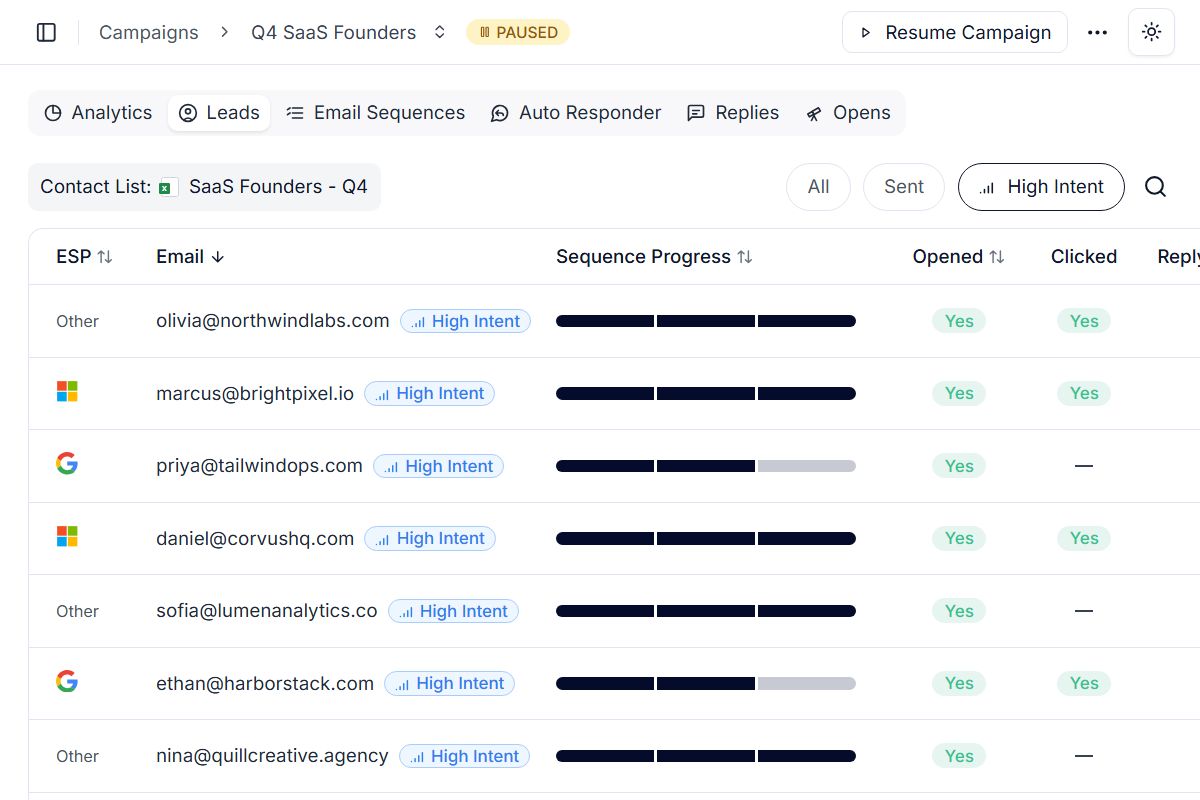
Deliveryman.ai flags leads as High Intent when they open your emails multiple times or open more than one email in your sequence. These leads show a High Intent badge in the Campaign Leads table.
Click a High Intent lead to open the side drawer, then click Send Manual Email to write a personal follow-up from the Master Inbox. You can pick the sender, add CC recipients and include your signature.
Use the new High Intent filter to see only these leads, so you can focus on the people most likely to reply. Reach out while interest is high instead of waiting for the next automated step in the sequence.
Note: High Intent Leads needs open tracking turned on and is available for HTML emails only. It isn't available for plain text campaigns.
Read more about it here: https://deliveryman.ai/blog/high-intent-leads/
New: API v2 - Send emails with your AI Agents (BETA)
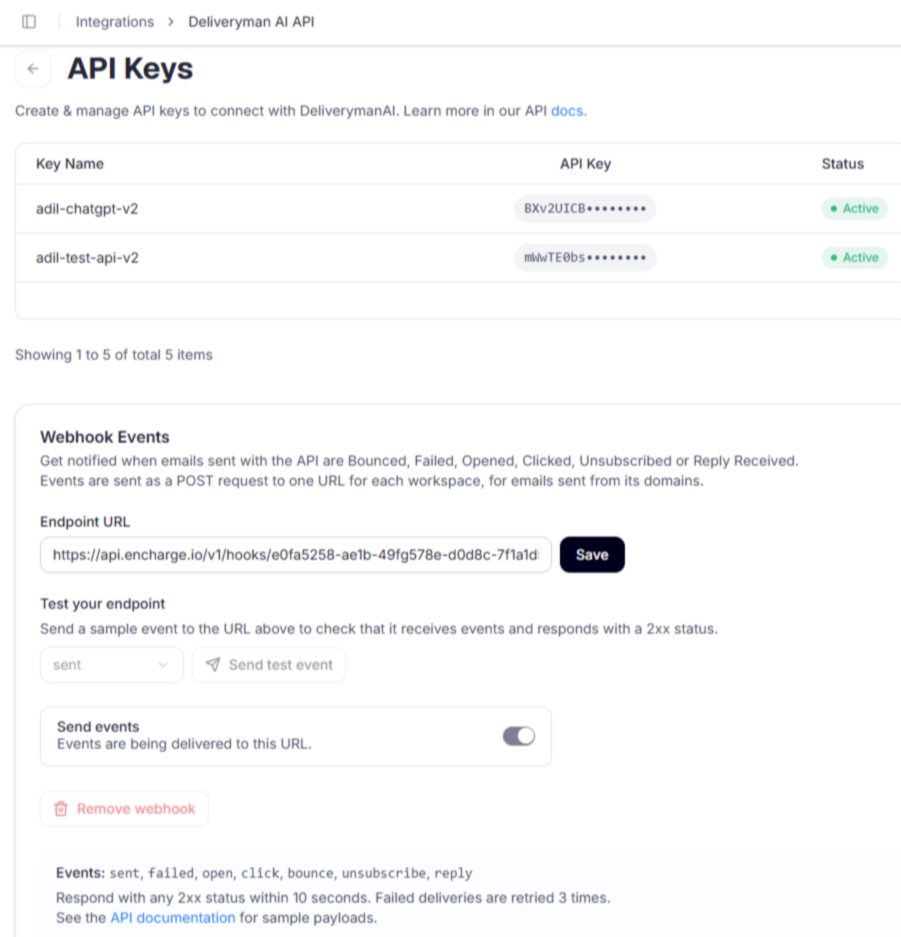
You can now send emails directly through Deliveryman.ai agents using API v2.
Getting started is simple:
- Connect Your Domain: Set up your sending domain through the Deliveryman app.
- Give Your AI Agent the Documentation: Share the API documentation with Claude or your preferred AI agent so it can understand how to use Deliveryman.
- Set Up Webhook Events: Configure webhooks to receive events and connect email activity to your applications and automated workflows.
Once the initial setup is complete, your AI agent can handle email sending through the API, making it easier to build automated outreach workflows and integrate email capabilities directly into your applications.
Link to the API Documentation: https://docs.deliveryman.ai/introduction
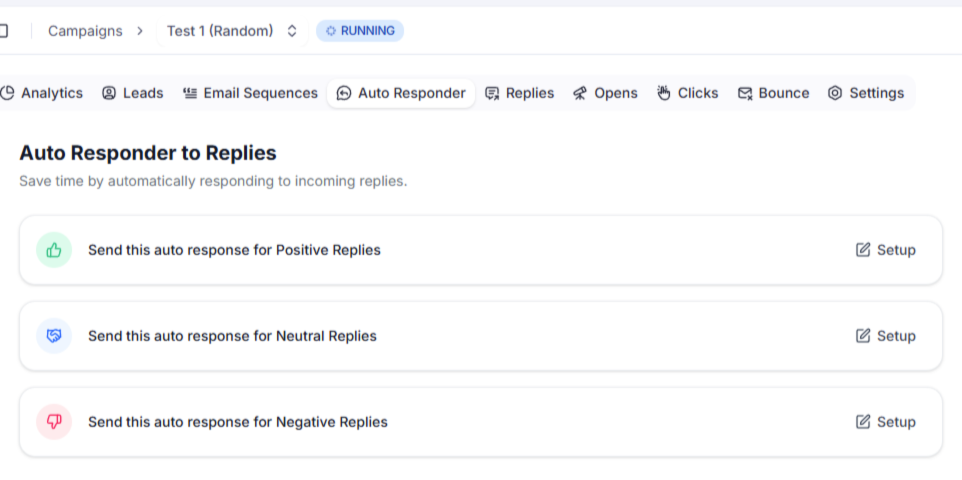
New: Auto Responder for Lead Replies
You can now automatically respond to incoming lead replies without manually handling every conversation.
Set up auto-responses for positive, neutral, and negative replies, and choose how long to wait before an automated response is sent.
This gives you more control over response timing while reducing the need to monitor every conversation manually.
Save time, reduce repetitive work, and keep your conversations moving even when you're busy with other tasks.
Update: Email Verification & ESP Detection Improvements
- Improved email verification accuracy & results.
- Added ESP detection for contacts by default.
ESP data is available across contact lists, campaigns & sending history.
- Added a new Verify button to verify individual contacts from the Unverified Contact List.