
Most people think they have a copy problem.
They don’t.
They have a “nobody ever saw the email” problem. Then they rewrite the email. Then nobody sees that one either.
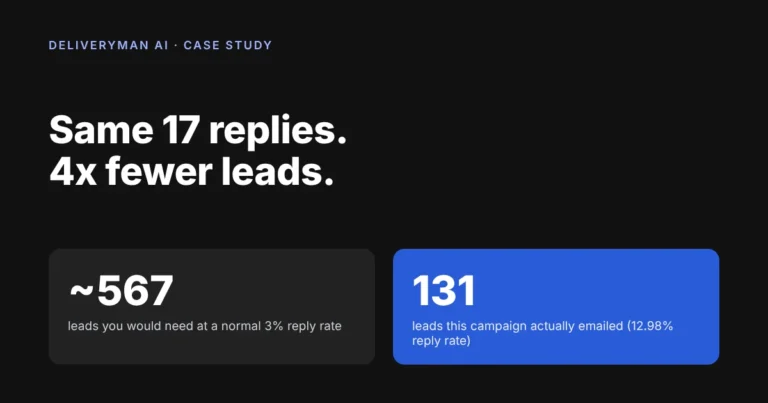
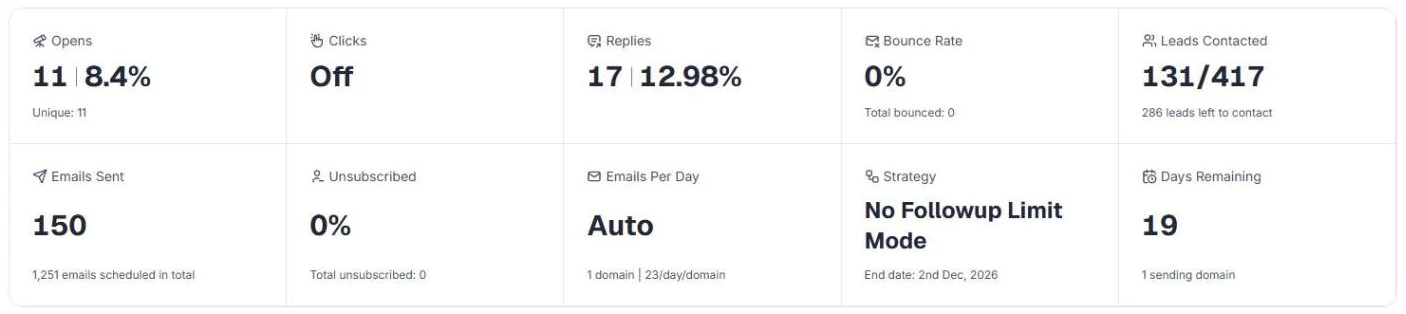
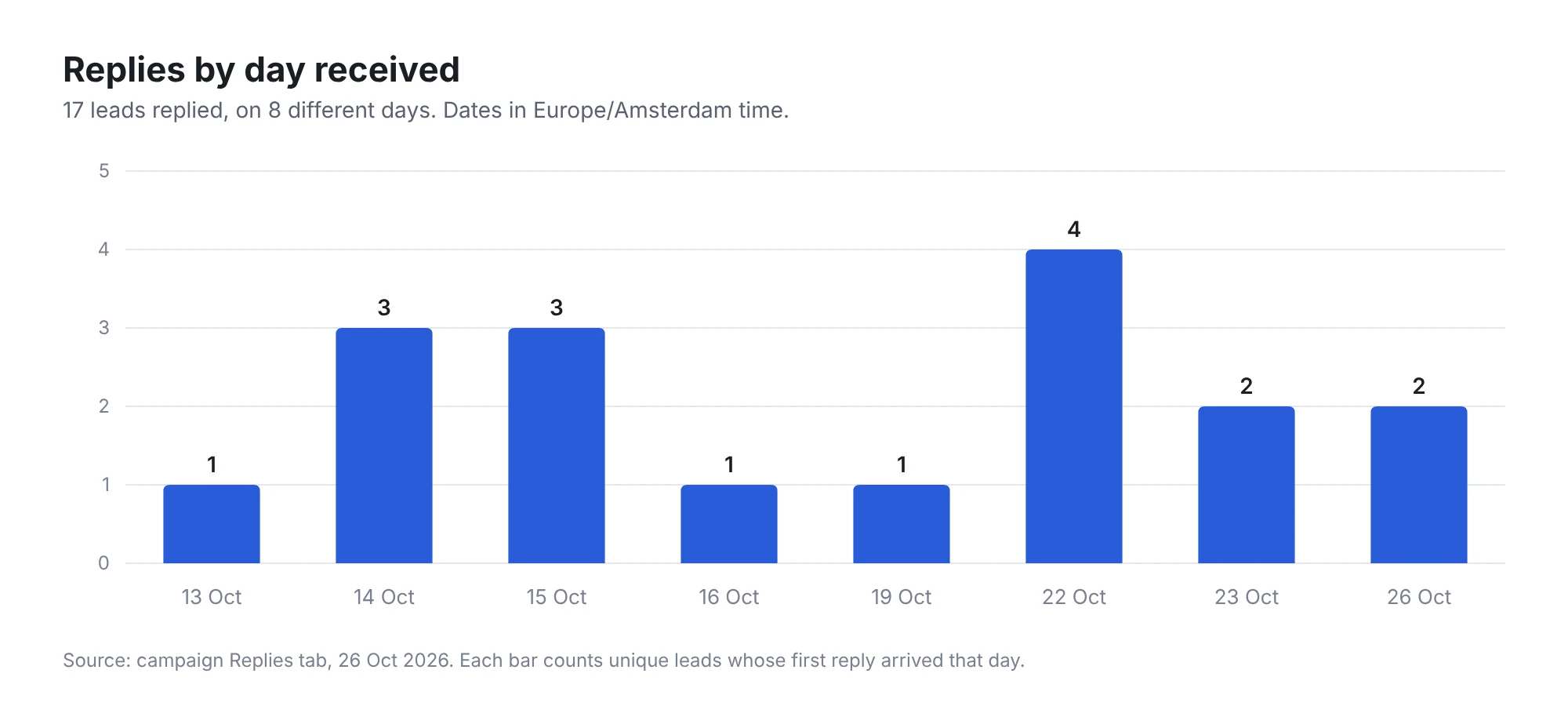
Here is a campaign that did it the other way around. It emailed 131 local business owners from one domain. 17 replied. That is a 12.98% reply rate, with 0 bounces and 0 unsubscribes.
Put simply: about 1 in every 7 to 8 emails got a reply.
Most cold email benchmarks say 1% to 5% is normal. That is 1 reply for every 20 to 100 emails. So let’s do the math, because the math is the whole point.
The math nobody does
Say you want 17 conversations with local business owners.
| Reply rate | 1 reply for every… | Leads you need for 17 replies |
|---|---|---|
| 1% (bad, but common) | 100 emails | ~1,700 leads |
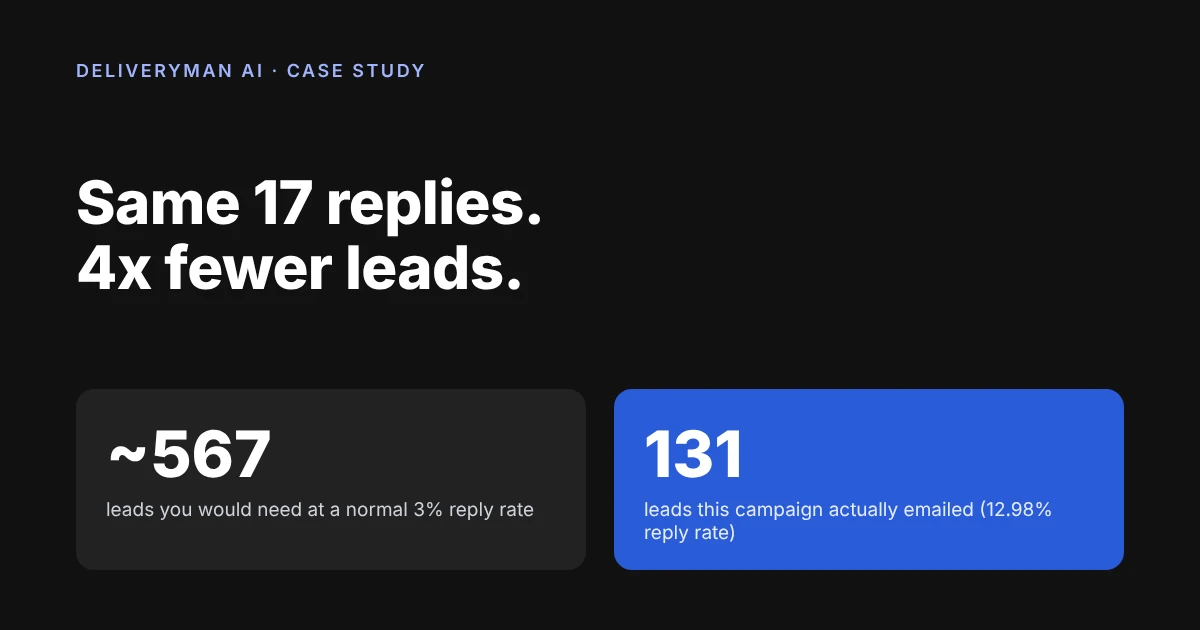
| 3% (normal) | ~33 emails | ~567 leads |
| 5% (good) | 20 emails | 340 leads |
| 12.98% (this campaign) | 7 to 8 emails | 131 leads |
Read that again. At 3%, you need about 33 emails for one reply. Here, it took 7 to 8. So a normal campaign needs over 4x more leads for the same 17 replies. That is 4x more list building, 4x more sending, and 4x more risk to your domain.
A better reply rate is not a nice-to-have. It is the cheapest growth you will ever buy.
So how did this campaign get there? Not with a clever subject line. It did three things right: it reached the inbox, it opened with the right first line, and it made replying easy.
How we reached the inbox (the boring part that wins)
Nobody posts about DNS records. Nobody gets excited about warm-up. That is exactly why most people get it wrong. Boring work is where the advantage is, because your competitors skip it.
Here is everything that happened before the first email was sent:
- One domain. That is all the client brought.
- Mailboxes built for them. Deliveryman created three sending subdomains and several mailboxes on them. No Google Workspace seats. No Microsoft seats.
- DNS done for them. SPF, DKIM, DMARC and MX were set up automatically.
- Warm-up done before sending. The domain was fully warmed up before the campaign started.
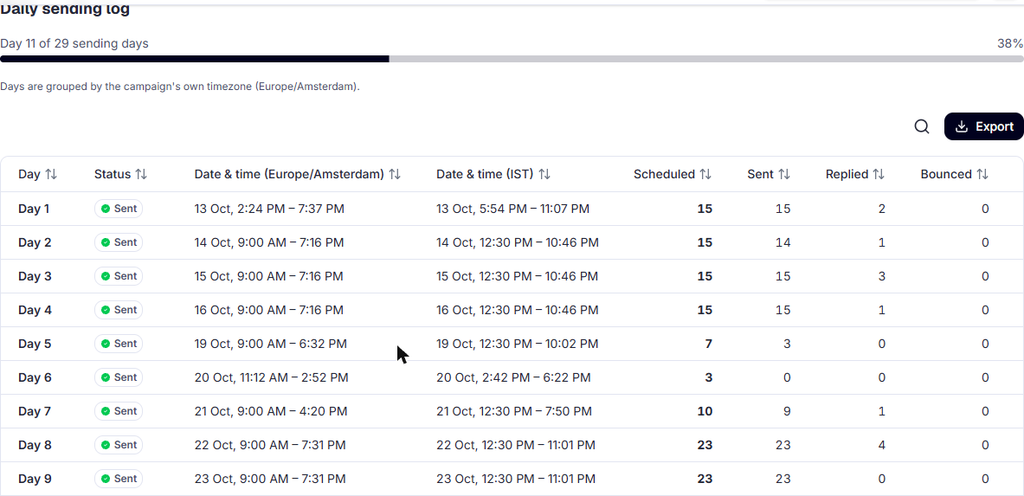
- Volume spread out. Every send was rotated across the mailboxes.
Now compare that to how most people do it:
| Job | The usual way | On Deliveryman |
|---|---|---|
| Buy mailboxes | Pay for Google Workspace or Microsoft seats | Created for you |
| Set up DNS | Watch tutorials, edit records, hope | Done for you |
| Warm up | Buy another tool | Built in |
| Verify the list | Buy another tool | Built in |
| Spread the volume | Plan it in a spreadsheet | Automatic |
| Stop follow-ups on reply | Hope you set it up right | Automatic |
Same jobs. Fewer tools. Fewer bills. Fewer ways to mess up.
How the first line got them reading
Most cold emails start by talking about themselves. “We are a leading…” “I help companies like yours…”
The reader has seen that line a thousand times. Their brain skips it.
This email opened with this (translated from Dutch):
“I’m not sure I’ve reached the right person, so feel free to forward this to whoever handles it.”
Line one of Email 1
Why does this work? Because it changes the reader’s job.
They are no longer being sold to. They are being asked for help. And people are much more willing to help than to buy.
Two more things helped:
- It spoke their language. Dutch, about their own city. A neighbour, not a vendor.
- It used a real greeting. “Beste Eva” for a person. “Beste team [company]” for an info@ inbox. Never “Hi there”.
How the ask made replying easy
Here is the simplest rule in sales:
The easier it is to say yes, the more people say yes.
Most cold emails ask for 30 minutes on a call with a stranger. That is a big ask. High effort, high risk, low trust.
This email asked:
“Can I send a bit more info, or call? Or do you know who I should talk to?”
Look at the options. “Send more info” is easy. “Talk to Eva” is easy. Even “no” is easy, because the email ended with: “If this isn’t relevant, just reply ‘no’ and I’ll stop.”
Every possible answer takes one line. So people answered.
- About 150 words.
- Plain text.
- No links. No calendar. No PDF.
The results
- 131 leads emailed.
- 17 replies. 12.98%. That is about 1 reply in every 7 to 8 emails.
- 0 bounces. 0 unsubscribes.
- First reply: less than an hour after the first send.
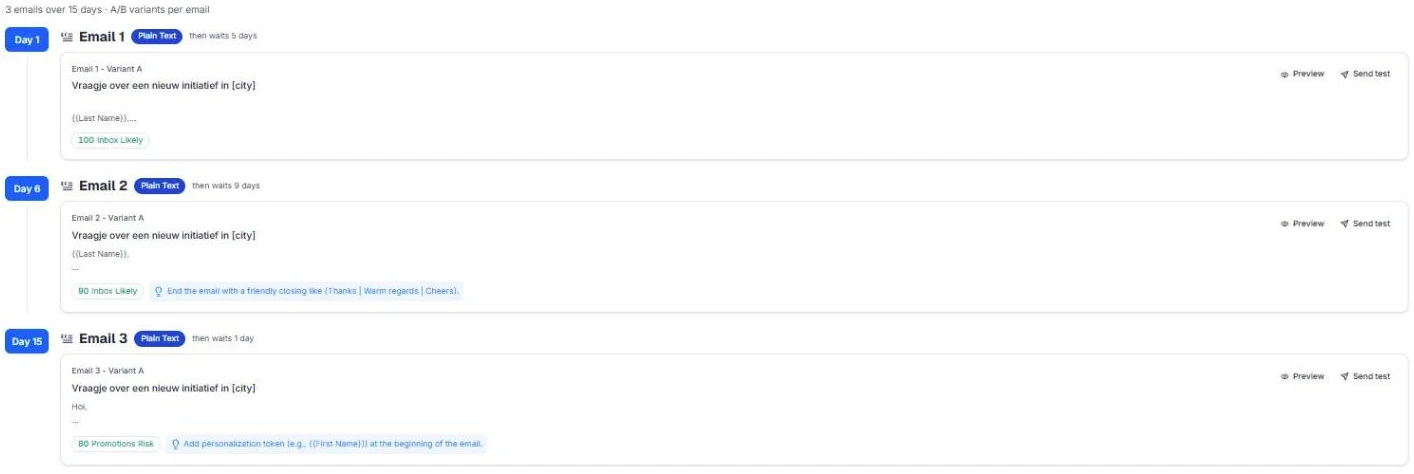
- Replies on 8 different days. Best day: 4 replies on 22 Oct.
If I were starting tomorrow, here is what I would do
- Get one domain. Warm it up fully. Don’t send a single cold email before that.
- Send from subdomains, across several mailboxes. Never blast from one inbox.
- Verify the list. Skip catch-all, unverifiable and webmail. Yes, even if it hurts.
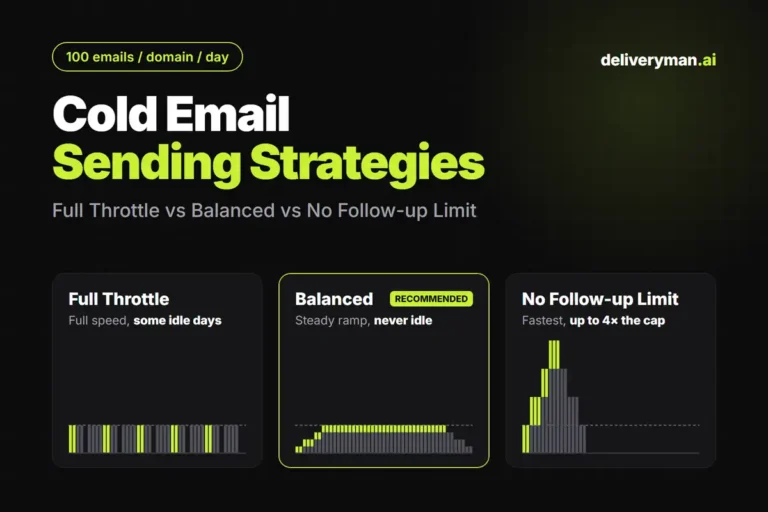
- Send 20 to 25 emails a day per domain. Want more? Add domains, not volume.
- Write in their language, for their business hours.
- Open with a line that asks for help, not attention.
- Ask for the smallest possible next step.
- Make every follow-up shorter than the last.
Steps 1, 2 and 3 are the boring ones. On Deliveryman, they are done for you. Steps 4 to 8 are yours. That is the split you want: you spend your time on the offer, not on plumbing.
How we measured this
- Reply rate is the campaign-level figure from the Deliveryman dashboard: unique leads who replied, divided by leads contacted (17 ÷ 131). It counts every reply, not only positive ones.
- “1 in 7 to 8”. 131 leads divided by 17 replies is about 7.7 emails per reply. The other “1 in…” numbers use the same math for each reply rate.
- The math. “Leads you need” is 17 divided by each reply rate, rounded. It is an illustration, not a forecast.
- Date. Figures come from a reading taken on 26 Oct 2026, day 10 of a 29-day schedule. The campaign is still running, so final numbers will change.
- Opens are not used. All emails were plain text, and privacy features make opens unreliable. Replies show whether a campaign worked.
- Benchmark. The 1% to 5% range is the reply rate most cold email benchmarks report.
- Privacy. The client, its sending domain, its prospects and its full email copy are not shown. Quoted lines are translated from Dutch. Lead addresses are masked.
Do the boring things right. Get the replies.
You bring one domain. Deliveryman builds your mailboxes, sets up your DNS, warms up your domain, verifies your list and rotates your sending. No Google Workspace seats. No five-tool stack. See pricing.