Test every version.
Keep the one that wins.
Run two or more subject lines and email versions in one campaign. Contacts are split for you, and every variant gets its own results.
What's A/Z testing?
A/Z testing means sending a few versions of the same email to random parts of your list, then keeping the one that gets the most replies. Instead of guessing what works, you find out.
- Step 1
Write a few versions
Change one part of the email in each.
Subject lineOpening lineOfferCall to actionLengthTone - Step 2
Split your list at random
Each contact gets one version, chosen at random.
6,194 contacts, about 1,239 per version
- Step 3
Keep the winner
Compare replies and switch off the rest.
- B4.9% replied
- E3.3% replied
- A3.1% replied
More replies
A stronger subject line or opener lifts replies across the whole campaign.
Data, not opinions
Replies decide which version stays, not a hunch or a debate.
Learn your audience
See which angles your prospects respond to and reuse them.
Keep improving
Keep the winner, test a new idea against it and repeat.
One campaign. Five versions.
A clear winner.
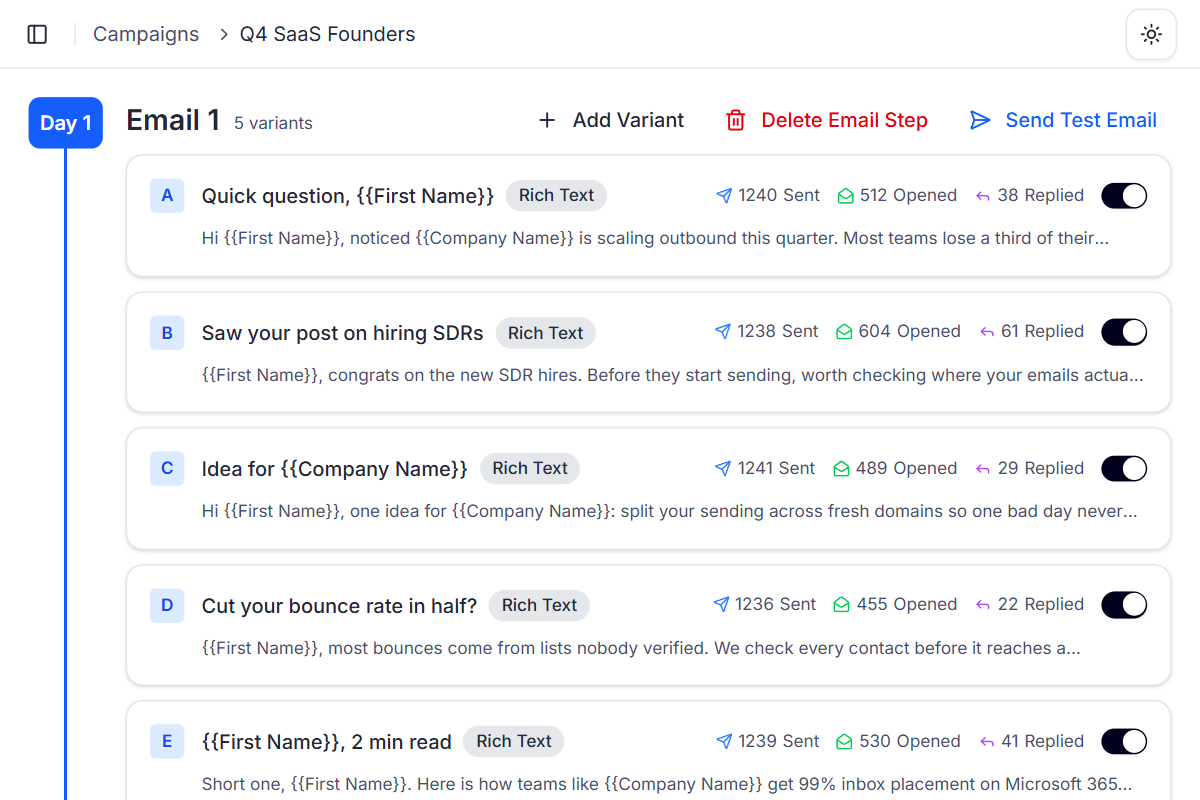
Contacts are split randomly between your variants, and each one sees only its variant for the whole sequence. The results tell you what to keep.
- A
Quick question, {{First Name}}
3.1%replied
1,240 sent41.3% opened38 replies - BWinner
Saw your post on hiring SDRs
4.9%replied
1,238 sent48.8% opened61 replies - C
Idea for {{Company Name}}
2.3%replied
1,241 sent39.4% opened29 replies - DOff
Cut your bounce rate in half?
1.8%replied
1,236 sent36.8% opened22 replies - E
{{First Name}}, 2 min read
3.3%replied
1,239 sent42.8% opened41 replies
Click rate is tracked per variant too, for emails with links.
Tests that give you
a clear answer.
- 01
Change one thing at a time
Test one subject line against another. When only one thing changes, you know what made the difference.
AQuick question, {{First Name}}
BQuick idea, {{First Name}}
- 02
Start with 2 to 4 variants
Fewer variants means more contacts in each, so a winner shows up sooner. Add more later.
3 variants400 each10 variants120 each - 03
Switch off what isn't working
The rest keep running. A disabled variant can't come back, so decide with enough data.
B61 repliedD22 replied - 04
Test follow-ups too
Every step in a sequence can have its own variants, so follow-ups get tested as well.
Day 1Email 1ABCDay 4Follow-up 1AB
Add a variant.
Let the results decide.
- 1
Add variants to a step
Open a step and click Add Variant. Change the subject line, the content, or both.
- 2
Launch the campaign
Contacts are split randomly. Each one gets the same variant for the whole sequence.
- 3
Compare the results
See sent, opened and replied counts for every variant, with rates side by side.
- 4
Keep the winners
Disable the variants that fall behind. The stronger ones carry the rest of the campaign.
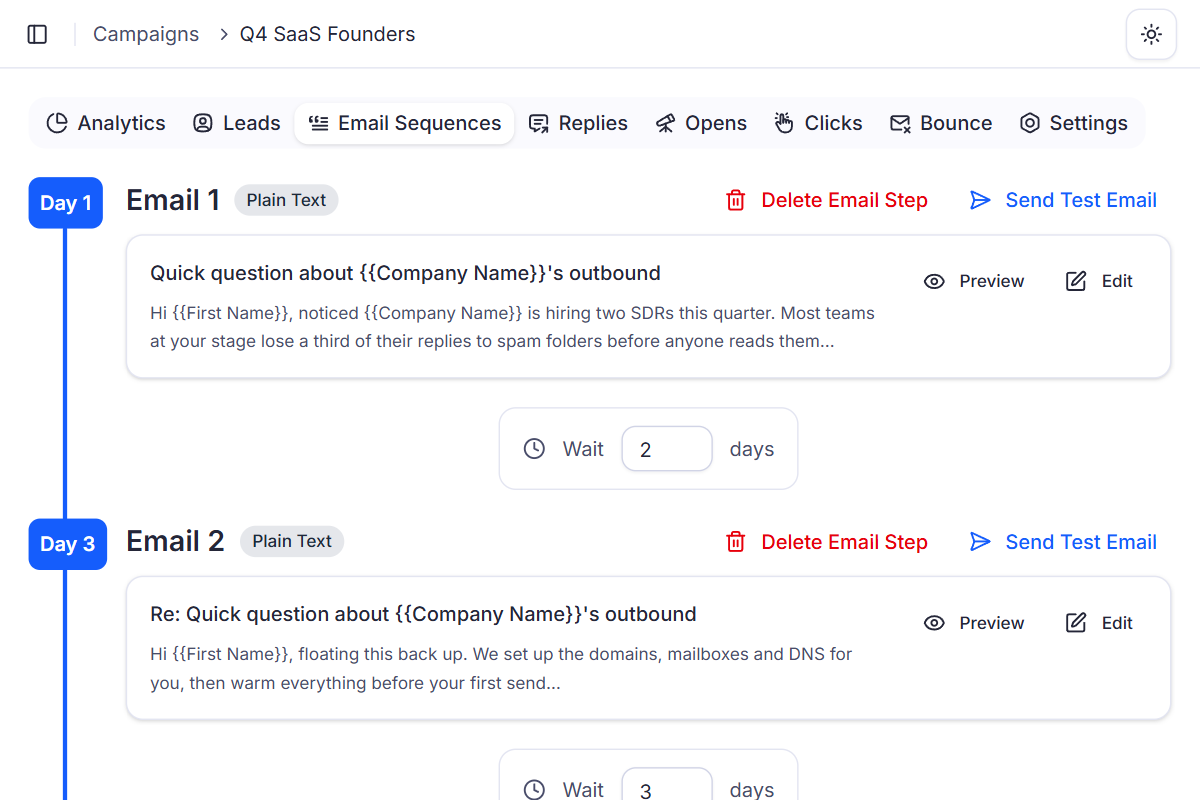
Why built-in A/Z testing beats splitting lists by hand
Testing by hand means cutting a list into pieces, building a campaign for each version and comparing reports yourself. In Deliveryman, every version lives in one campaign.
 Deliveryman
Related features
All features → Stop guessing which email works.
A/Z testing comes with every Deliveryman plan, with as many variants as you need on every step of your sequence.
Frequently Asked Questions
What is A/Z testing?
It's A/B testing without the two-version limit. You create several variations of a sequence step, like different subject lines or different content, and Deliveryman splits your contacts between them so you can see which one performs best.
How are contacts split between variations?
Randomly and automatically. Each contact is assigned one variation and gets only that variation for the whole sequence, so your results aren't mixed up.
What can I test?
Subject lines, email content and follow-ups. Every step in a sequence can have its own variations.
How many variations should I use?
We recommend 2 to 4 variations per step, and changing one element at a time. That way each variation gets enough contacts and you know what caused the difference.
Which numbers can I compare?
Analytics are shown per variation, including open rate, reply rate and click rate, so you can compare every version of a step at a glance.
Can I stop a variation that isn't working?
Yes. You can disable a variation at any time and the others keep running. A disabled variation can't be re-enabled, so give it enough sends before you decide.