Verify every contact.
Never pay per email.
Every list you upload is verified automatically before it reaches a campaign. Unlimited on every plan, with no credits to buy.
Know exactly who is safe to email.
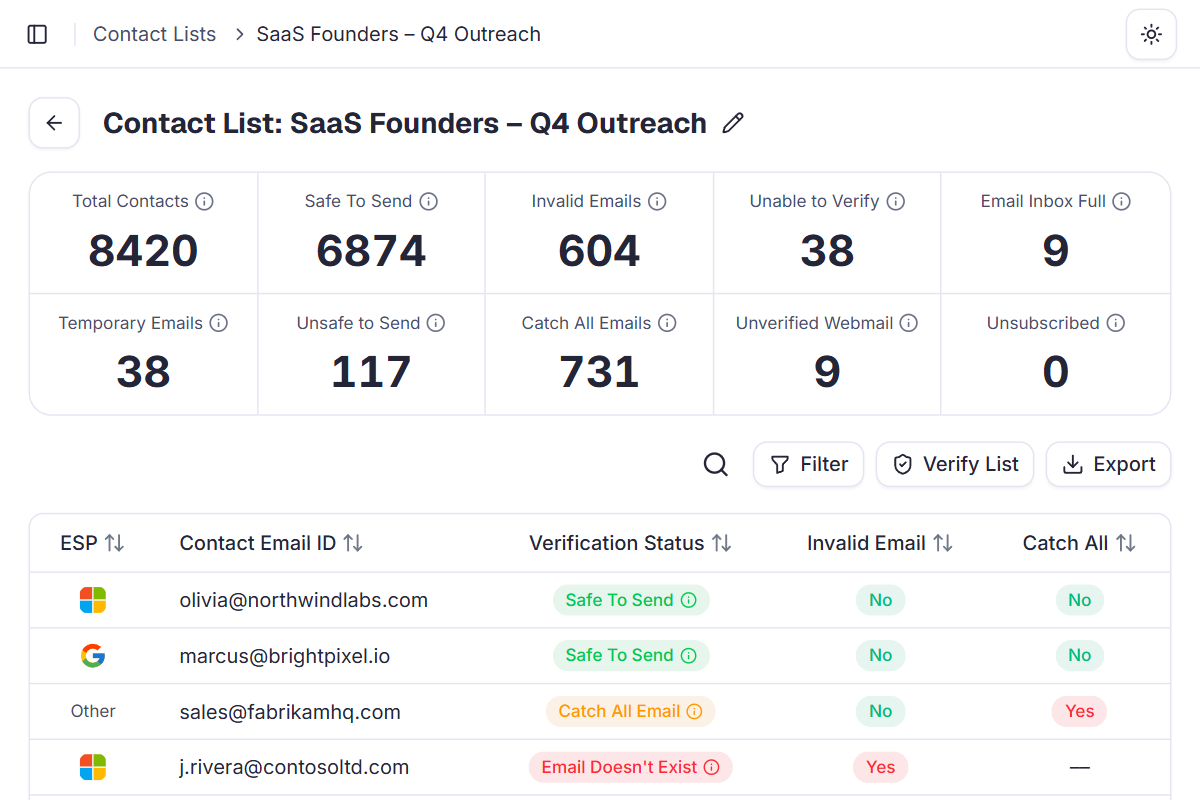
Every contact gets one clear status. Safe addresses go to your campaigns, and every contact held back tells you why.
SaaS Founders – Q4 Outreach
Verified- oolivia@northwindlabs.comSafe To Send
- mmarcus@brightpixel.ioSafe To Send
- ssales@fabrikamhq.comCatch All Email
- ppriya@lumenhealth.coSafe To Send
- jj.rivera@contosoltd.comInvalid Email
- nnoah@tailspintoys.netUnsafe to Send
- xx7k2q@tempinbox.devTemporary Email
- ddan.k92@yahoo.comUnverified Webmail
- eemma@wingtipventures.comSafe To Send
- lliam@adventureworks.ioSafe To Send
- iinfo@coho-logistics.comCatch All Email
- ssofia@fabrikamstudio.comSafe To Send
- rr.chen@bluefinanalytics.comEmail Inbox Full
- aava@litwareinc.comSafe To Send
- oops@relecloud.comUnable to Verify
- zzara@proseware.coSafe To Send
- kk.ito@woodgrovelabs.comInvalid Email
- oomar@margiestravel.comSafe To Send
Example list
8,420 contacts verified
6,874
Safe To Send. The mailbox exists and accepts mail. These are the only contacts your campaigns send to.
Held back, with a reason
1,546- 731
Catch All Emails
The domain accepts every address, so the mailbox can't be confirmed.
- 604
Invalid Emails
The address or mailbox doesn't exist, so it would hard-bounce.
- 117
Unsafe to Send
Likely to bounce or hurt your sending reputation.
- 38
Temporary Emails
Disposable inboxes that vanish after a few minutes.
- 38
Unable to Verify
The mail server gave no clear answer.
- 9
Email Inbox Full
The mailbox exists but can't accept new mail right now.
- 9
Unverified Webmail
Free webmail addresses that can't be fully confirmed.
Fast verification for most lists,
deep checks for the hard ones.
Choose a mode for each list. Quick clears most lists in minutes, and Deep keeps retrying hard-to-verify contacts.
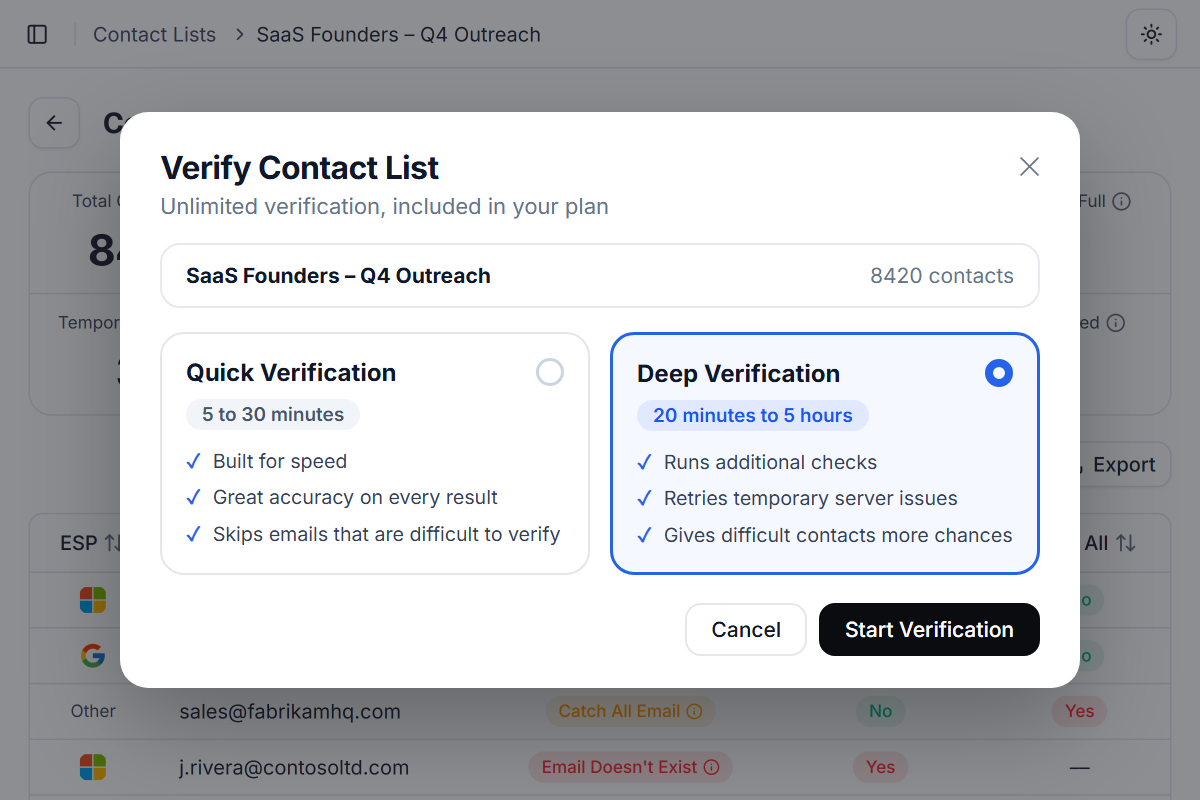
Quick Verification
5 to 30 minutesBuilt for speed with great accuracy. Addresses that are difficult to verify are skipped, so your list is ready fast and your campaign isn't held up.
Deep Verification
20 minutes to 5 hoursBuilt for harder lists. It runs additional checks and retries temporary server issues, giving difficult contacts more chances to be verified.
Upload a list.
We verify it for you.
- 1
Upload a list
Import contacts from a file, a sheet or your CRM.
- 2
Map your fields
Email is the only required column. Add any custom fields you need.
- 3
Verification starts
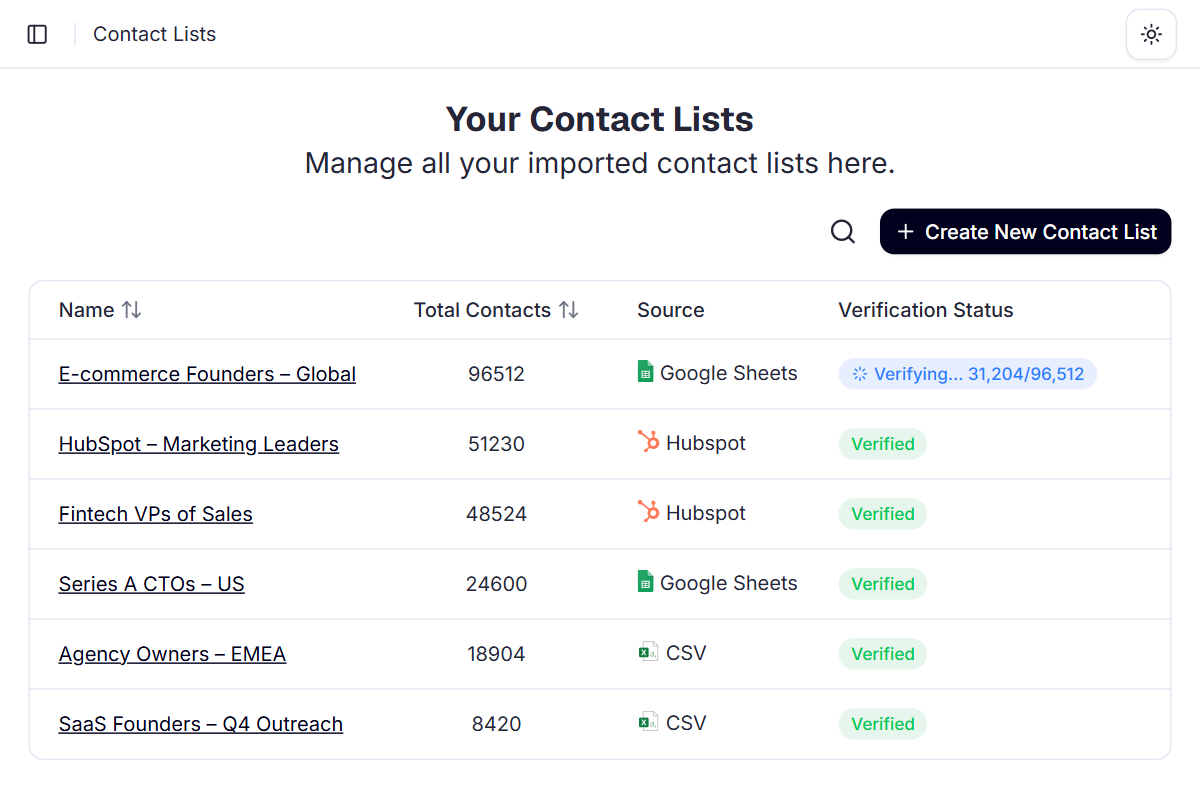
Starts automatically. Watch the live queue as each contact's email provider is detected.
- 4
Launch clean
Campaigns only use valid addresses. Export any status as CSV, or re-check one contact.
Why built-in email verification beats a separate tool
A standalone verifier means another subscription, per-email credits and a CSV round trip before every campaign. In Deliveryman, verification runs the moment you upload a list.
 Deliveryman
Related features
All features → Stop paying for verification credits.
Unlimited email verification comes with every Deliveryman plan, alongside mailboxes, warmup and everything else you need to send.
Frequently Asked Questions
Is email verification really unlimited?
Yes. Verification is included in every plan, so you can verify every contact you upload. There are no credits to buy and no per-email fees.
How long does verification take?
Quick Verification finishes in 5 to 30 minutes. Deep Verification takes 20 minutes to 5 hours, because it runs extra checks and retries temporary server issues.
Should I use Quick or Deep Verification?
Quick is the right choice for most lists. It's fast and skips addresses that are hard to verify. Choose Deep when a list has lots of hard-to-verify contacts and you want each one to get more chances.
What happens to invalid or unsafe contacts?
Every contact keeps its status, so only valid addresses are used in your campaigns. You can export any status as a CSV if you want to review or clean a list yourself.
Can I skip verification?
Yes. You can skip verification for a list, or skip a job that's stuck. We still detect each contact's email provider, so ESP data is never lost.
Do I still need a separate verification tool?
No. Deliveryman checks for invalid, temporary, unsafe, catch-all, inbox-full and webmail addresses before you send, and campaign protection keeps bounce rates low after launch too.