Upload every lead.
Pay only for what you send.
Import from CSV, Google Sheets or HubSpot and keep as many active leads as you need, with no per-seat pricing.
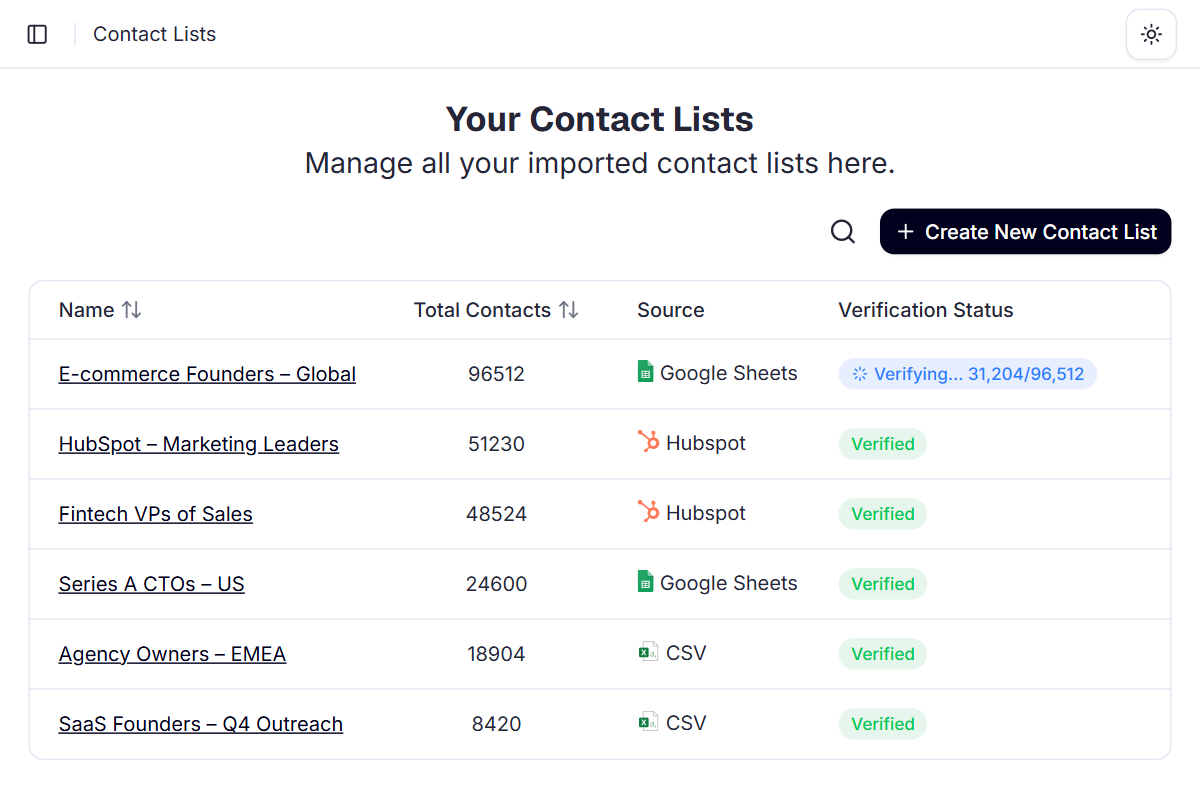
Bring leads in from where they already are.
Import from CSV, Google Sheets or HubSpot today, with five more sources on the way. No limit on how many lists you keep.
CSV
Upload a file from your computer, up to 100,000 rows at a time.
Google Sheets
Paste the sheet's link. It needs “Anyone with the link” viewer access.
HubSpot
Import all your HubSpot contacts, or just one list or segment.
- SalesforceComing soon
- Zoho CRMComing soon
- AirtableComing soon
 InstantlyComing soon
 SmartleadComing soon
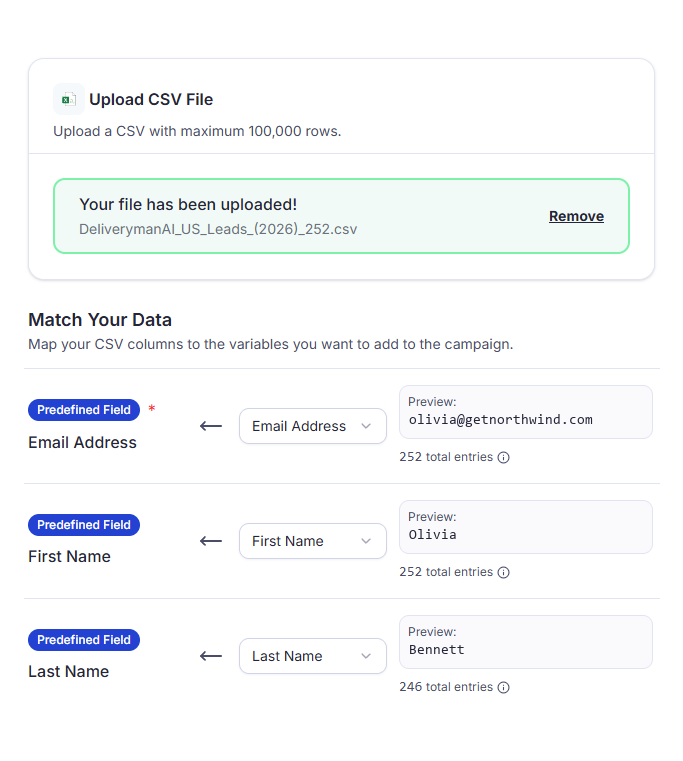
Your columns, matched for you.
Map each column in your file to a Deliveryman field. Email Address is the only one you need, and every field you map becomes a variable for your emails.
- Matched automaticallyCommon headers like email, fname or company are matched to the right field. Check or change any of them.
- Preview every columnSee a sample value next to each column, so you know it's the right one before you import.
- Up to 12 custom fieldsName any extra column, like Job Title, and use it as a variable in your emails.
- An unsubscribe columnPick it, and contacts marked True or Yes are unsubscribed and skipped in campaigns.
Every field you map,
ready to personalise.
Mapped columns become variables in your emails. Add a fallback, and contacts missing a value still get an email that reads right.
Your contact
- Email Address
- olivia@getnorthwind.com
- First Name
- Olivia
- Company Name
- Northwind
- Job Title
- Head of Growth
Your template
{{First Name}}, a question about {{Company Name}}
Hi {{First Name:fallback"there"}},
As {{Job Title}} at {{Company Name}}, is outbound on your plate this quarter?
Thanks,
{{SenderFullName}}
Olivia receives
To: olivia@getnorthwind.com
Olivia, a question about Northwind
Hi Olivia,
As Head of Growth at Northwind, is outbound on your plate this quarter?
Thanks,
Alex Carter
Custom fields work the same way: map up to 12 and use each one as a variable.
From your list
to a campaign in four steps.
- 1
Pick a source
Upload a CSV, paste a Google Sheets link or connect HubSpot.
- 2
Map your fields
Common columns are matched for you. Only Email Address is required.
- 3
Let verification run
Every list is verified automatically before it reaches a campaign.
- 4
Add it to a campaign
Choose the list in a campaign and use your fields as variables.
Why unlimited contacts beat a capped plan
Many sending tools price by contacts stored or by seat, so a growing lead list means a bigger bill before you send anything. In Deliveryman, you only pay for emails sent.
 Deliveryman
Related features
All features → Bring every lead you have.
Unlimited contacts come with every Deliveryman plan, alongside verification, mailboxes, warmup and everything else you need to send.
Frequently Asked Questions
Is there really no limit on contacts?
Yes. There are no contact caps and no per-seat pricing on any plan. Your plan usage is based on emails sent, so you can store as many leads as you need.
Where can I import contacts from?
From a CSV file, a Google Sheet or HubSpot. For Google Sheets, share the sheet with “Anyone with the link” viewer access. From HubSpot you can import all contacts or a specific list or segment.
How many contacts can I upload at once?
Up to 100,000 rows per upload. For a bigger list, split it across more than one upload.
Which fields do I need?
Email Address is the only required field. You can also map First Name, Last Name, Company Name, Website, Phone Number, LinkedIn Profile and Location, plus up to 12 custom fields, then use them as variables like {{First Name}} in your emails. Common column headers are matched automatically.
Does uploading contacts count toward my plan?
No. Only emails sent count toward usage, including follow-ups. Uploading leads and warmup emails don't.
Are my contacts verified?
Yes. Every list you upload is verified automatically before it reaches a campaign, and verification is unlimited on every plan too.