Send where you land.
Skip where you don't.
Choose exactly which email providers a campaign sends to, and switch one off without stopping the campaign.
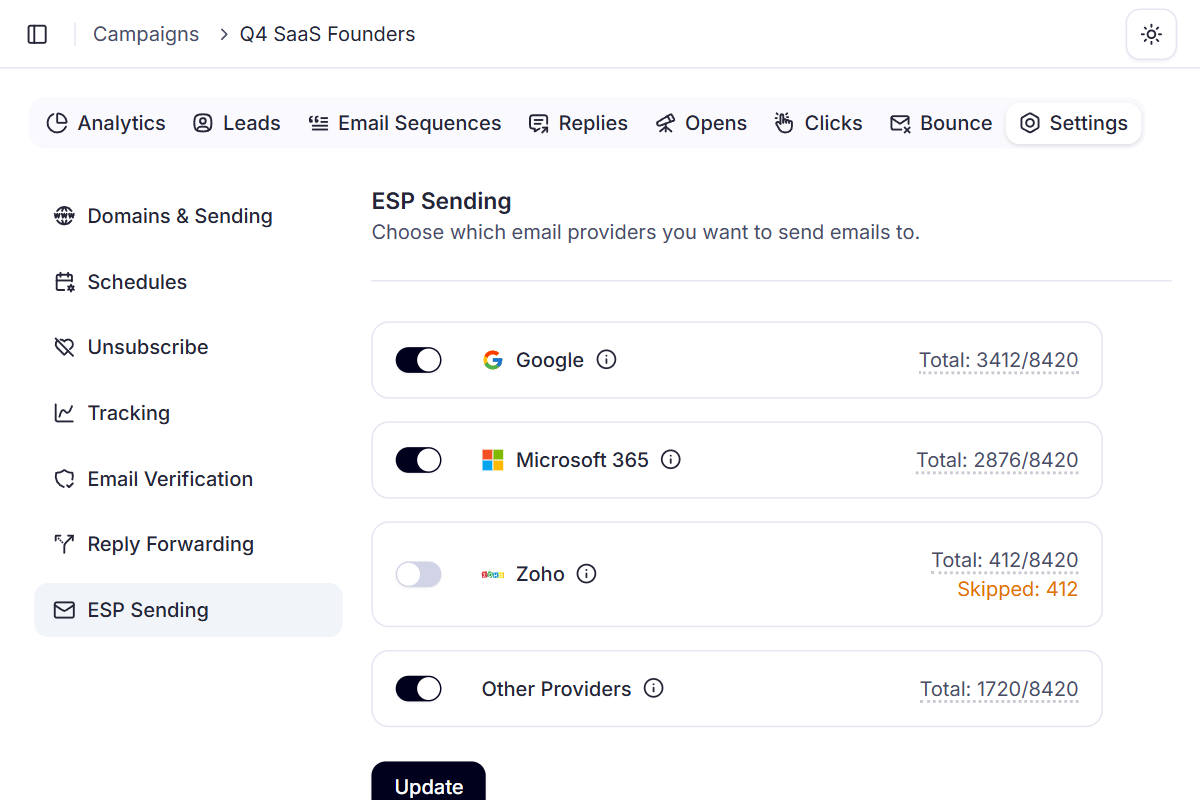
See your list by provider. Choose who gets emailed.
Every campaign shows how its contacts split across email providers. Leave a provider on, or switch it off and its contacts are skipped.
Q4 SaaS Founders
8,420 contacts · 412 skipped
- G
Google
Gmail & Google Workspace
3,412
Sending
Microsoft 365
Microsoft 365 business mailboxes
2,876
Sending
- Zoho
Zoho
Zoho Mail
412
Skipped: 412
Other Providers
Outlook.com, Yahoo, AOL, iCloud, Proton Mail
1,720
Sending
Use it to scale or test provider by provider, or to hold one back while you look into a problem.
One provider bouncing?
Don't cancel the campaign.
Switch off the provider causing trouble. The rest keeps sending.
- GoogleDeliveringMicrosoft 365BouncingOther ProvidersDelivering
The problem
One provider pushes back
Emails to one provider start bouncing or getting rejected, while the rest look fine.
Settings › ESP Sending
Microsoft 365Your fix
Switch that provider off
Open Settings, then ESP Sending, and turn it off. It works while the campaign is running.
- Q4 SaaS FoundersRunning
Google, Other Providers sending
Microsoft 365 skipped
The result
Everything else keeps sending
No cancelled campaign. Contacts on the other providers keep getting your sequence.
It's a pause button, not a fix. Turning a provider off stops the damage from spreading, but it doesn't solve whatever caused the bounces. Find the cause before you switch it back on.
Why per-provider control beats all-or-nothing sending
Without it, a problem with one provider leaves you two choices: keep sending into the bounces, or stop the whole campaign. Deliveryman gives you a third.
 Deliveryman
Related features
All features → Send where it lands.
ESP targeting comes with every Deliveryman plan, alongside campaign protection, warmup and everything else you need to send.
Frequently Asked Questions
Which providers can I choose between?
Google (Gmail and Google Workspace), Microsoft 365, Zoho, and Other providers, which covers Outlook.com, Yahoo, AOL, iCloud and Proton Mail.
Where do I turn a provider on or off?
In the campaign's Settings, under ESP Sending. Each provider has its own toggle, and the change applies to that campaign.
Can I change it while a campaign is running?
Yes. That's the main reason it exists. If one provider starts bouncing or rejecting your emails, turn it off and the rest of the campaign keeps running instead of being cancelled.
Does turning a provider off fix my deliverability there?
No. It stops sending to that provider so the problem doesn't grow, but it doesn't fix the cause. Look at what's behind the bounces or rejections before you turn it back on.
How does Deliveryman know each contact's provider?
Every contact's email provider is detected when you upload a list, so a campaign shows how many of its contacts sit with each provider.
Does it cost extra?
No. ESP targeting is included in every plan.