
How to check if you are listed in UCEProtect Level 3?
- Please visit: https://www.uceprotect.net/en/rblcheck.php
- Enter your sending IP address to check
- Bounce Messages: Review rejection emails from recipients. These often explicitly mention “listed in dnsbl-3.uceprotect.net” or provide a link to the UCEProtect site.
How to remove a Domain/IP address from UCEProtect Level 3?
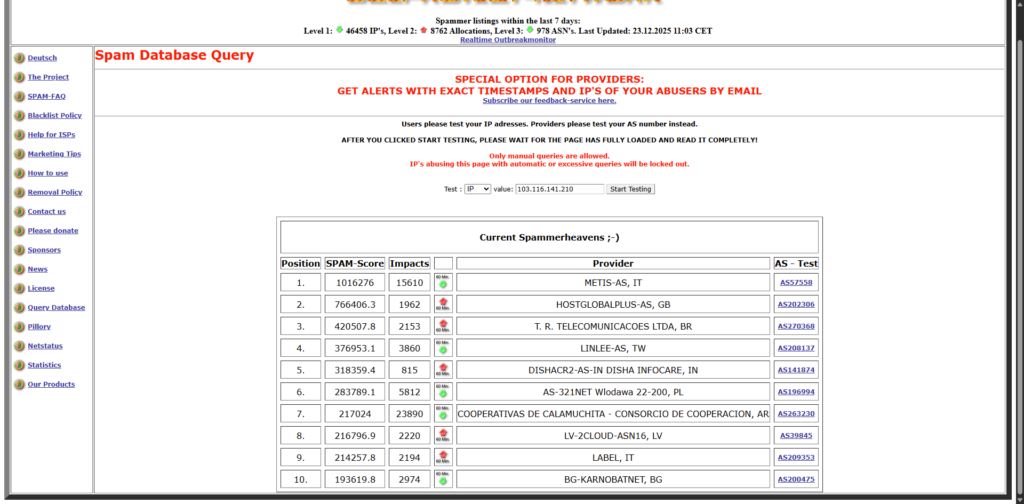
- Please visit: https://www.uceprotect.net/en/rblcheck.php
- Enter your blacklisted IP address
- The Result: If you see “Level 3: LISTED,” it will typically say your IP is part of an ASN (e.g., AS16509) that is currently blocked for hosting too many abusers.
- Like Level 2, there is no free manual delisting for Level 3. The system is designed to be entirely automated.
- The listing will expire automatically once the total spam score of your entire ISP/Hosting provider drops below a certain threshold.
- The Criteria: Your provider is removed once less than 0.2% of their total IP addresses are listed in Level 1 over a rolling 7-day period.
- Timeline: If the provider cleans up their network, the block clears on its own. If they don’t, the block stays.
- UCEPROTECT offers a paid “Whitelister” service where you can pay a fee (often around $25–$50) to have your specific IP exempted from the Level 3 block.